Trusted Software

Outbyte Driver Updater
- 1,000,000+ drivers
- 1,143,473 downloads
- Windows 11 / 10 / 8 / 7





 Download
RTL8169 PCI Gigabit Ethernet Controller
Download
RTL8169 PCI Gigabit Ethernet Controller
Download
RTL8169 PCI Gigabit Ethernet Controller

System Information
Your PC is currently running:
Driver details
Driver Name:
RTL8169 PCI Gigabit Ethernet Controller
Provider:
Realtek
Version:
6.207.606.2008
Release Date:
6/6/2008
Architecture:
AMD64
File Size:
102 KB
Driver ID:
pci\ven_10ec&dev_8169&subsys_0c44105b
Supported OS:
Windows 8, Windows 7
WHQL:
Signed
Special offer
Download
All links have been scanned by antivirus program.
Manual download (.cab, 102 KB) from Microsoft servers
— install via Device Manager.
Compatible hardware
- RTL8169 PCI Gigabit Ethernet Controller (Realtek Semiconductor Co., Ltd.)
- RTL-8110SC/8169SC Gigabit Ethernet (Realtek Semiconductor Co., Ltd.)
Supported Hardware IDs
pci\ven_10ec&dev_8136&rev_01
pci\ven_10ec&dev_8136&rev_02
pci\ven_10ec&dev_8136&subsys_00011179&rev_01
pci\ven_10ec&dev_8136&subsys_00021179&rev_02
pci\ven_10ec&dev_8136&subsys_00161170&rev_01
pci\ven_10ec&dev_8136&subsys_003014c0&rev_02
pci\ven_10ec&dev_8136&subsys_003114c0&rev_02
pci\ven_10ec&dev_8136&subsys_003214c0&rev_02
pci\ven_10ec&dev_8136&subsys_003314c0&rev_02
pci\ven_10ec&dev_8136&subsys_003414c0&rev_02
Show all 1490 hardware IDs
pci\ven_10ec&dev_8136&subsys_003514c0&rev_02
pci\ven_10ec&dev_8136&subsys_003614c0&rev_02
pci\ven_10ec&dev_8136&subsys_00371170&rev_01
pci\ven_10ec&dev_8136&subsys_003714c0&rev_02
pci\ven_10ec&dev_8136&subsys_00411170&rev_01
pci\ven_10ec&dev_8136&subsys_010c1025&rev_01
pci\ven_10ec&dev_8136&subsys_01101462&rev_02
pci\ven_10ec&dev_8136&subsys_01151854&rev_01
pci\ven_10ec&dev_8136&subsys_01161854&rev_01
pci\ven_10ec&dev_8136&subsys_015a1025&rev_02
pci\ven_10ec&dev_8136&subsys_015b1025&rev_02
pci\ven_10ec&dev_8136&subsys_02741028&rev_02
pci\ven_10ec&dev_8136&subsys_027d1028&rev_01
pci\ven_10ec&dev_8136&subsys_027e1028&rev_01
pci\ven_10ec&dev_8136&subsys_02971028&rev_02
pci\ven_10ec&dev_8136&subsys_02981028&rev_02
pci\ven_10ec&dev_8136&subsys_02991028&rev_02
pci\ven_10ec&dev_8136&subsys_029a1028&rev_02
pci\ven_10ec&dev_8136&subsys_02a91028&rev_02
pci\ven_10ec&dev_8136&subsys_02ad1028&rev_01
pci\ven_10ec&dev_8136&subsys_02ad1028&rev_02
pci\ven_10ec&dev_8136&subsys_02b01028&rev_02
pci\ven_10ec&dev_8136&subsys_02b41028&rev_01
pci\ven_10ec&dev_8136&subsys_02b41028&rev_02
pci\ven_10ec&dev_8136&subsys_02b51028&rev_02
pci\ven_10ec&dev_8136&subsys_02b81028&rev_02
pci\ven_10ec&dev_8136&subsys_0300196f&rev_02
pci\ven_10ec&dev_8136&subsys_0368107b&rev_01
pci\ven_10ec&dev_8136&subsys_0380107b&rev_01
pci\ven_10ec&dev_8136&subsys_0381107b&rev_01
pci\ven_10ec&dev_8136&subsys_0386107b&rev_01
pci\ven_10ec&dev_8136&subsys_0560107b&rev_01
pci\ven_10ec&dev_8136&subsys_0561107b&rev_01
pci\ven_10ec&dev_8136&subsys_0565107b&rev_01
pci\ven_10ec&dev_8136&subsys_0566107b&rev_01
pci\ven_10ec&dev_8136&subsys_059817ff&rev_02
pci\ven_10ec&dev_8136&subsys_0618a0a0&rev_01
pci\ven_10ec&dev_8136&subsys_063da0a0&rev_01
pci\ven_10ec&dev_8136&subsys_0772152d&rev_02
pci\ven_10ec&dev_8136&subsys_0773152d&rev_02
pci\ven_10ec&dev_8136&subsys_0774152d&rev_02
pci\ven_10ec&dev_8136&subsys_0775152d&rev_02
pci\ven_10ec&dev_8136&subsys_0776152d&rev_02
pci\ven_10ec&dev_8136&subsys_0777152d&rev_02
pci\ven_10ec&dev_8136&subsys_0c76105b&rev_01
pci\ven_10ec&dev_8136&subsys_0ce6105b&rev_01
pci\ven_10ec&dev_8136&subsys_0d1b105b&rev_01
pci\ven_10ec&dev_8136&subsys_0d1c105b&rev_01
pci\ven_10ec&dev_8136&subsys_0d40105b&rev_01
pci\ven_10ec&dev_8136&subsys_0d41105b&rev_01
pci\ven_10ec&dev_8136&subsys_0d42105b&rev_01
pci\ven_10ec&dev_8136&subsys_0d47105b&rev_01
pci\ven_10ec&dev_8136&subsys_0d48105b&rev_01
pci\ven_10ec&dev_8136&subsys_0d4a105b&rev_01
pci\ven_10ec&dev_8136&subsys_0d4b105b&rev_01
pci\ven_10ec&dev_8136&subsys_0d4b105b&rev_02
pci\ven_10ec&dev_8136&subsys_0dd6105b&rev_01
pci\ven_10ec&dev_8136&subsys_0dd6105b&rev_02
pci\ven_10ec&dev_8136&subsys_0de2105b&rev_01
pci\ven_10ec&dev_8136&subsys_0de3105b&rev_01
pci\ven_10ec&dev_8136&subsys_0dee105b&rev_01
pci\ven_10ec&dev_8136&subsys_0dee105b&rev_02
pci\ven_10ec&dev_8136&subsys_0df2105b&rev_01
pci\ven_10ec&dev_8136&subsys_0df6105b&rev_01
pci\ven_10ec&dev_8136&subsys_0df7105b&rev_01
pci\ven_10ec&dev_8136&subsys_0e0c105b&rev_01
pci\ven_10ec&dev_8136&subsys_0e0d105b&rev_01
pci\ven_10ec&dev_8136&subsys_0f961019&rev_01
pci\ven_10ec&dev_8136&subsys_10128086&rev_01
pci\ven_10ec&dev_8136&subsys_10128086&rev_02
pci\ven_10ec&dev_8136&subsys_10271631&rev_01
pci\ven_10ec&dev_8136&subsys_104d13bd&rev_01
pci\ven_10ec&dev_8136&subsys_105013bd&rev_01
pci\ven_10ec&dev_8136&subsys_105213bd&rev_01
pci\ven_10ec&dev_8136&subsys_105313bd&rev_01
pci\ven_10ec&dev_8136&subsys_105317c0&rev_01
pci\ven_10ec&dev_8136&subsys_105413bd&rev_01
pci\ven_10ec&dev_8136&subsys_108d147b&rev_01
pci\ven_10ec&dev_8136&subsys_1091147b&rev_01
pci\ven_10ec&dev_8136&subsys_10c617c0&rev_02
pci\ven_10ec&dev_8136&subsys_11071734&rev_01
pci\ven_10ec&dev_8136&subsys_11081734&rev_01
pci\ven_10ec&dev_8136&subsys_110a1734&rev_01
pci\ven_10ec&dev_8136&subsys_11231734&rev_01
pci\ven_10ec&dev_8136&subsys_11361734&rev_01
pci\ven_10ec&dev_8136&subsys_11361734&rev_02
pci\ven_10ec&dev_8136&subsys_11371734&rev_01
pci\ven_10ec&dev_8136&subsys_11371734&rev_02
pci\ven_10ec&dev_8136&subsys_113a1734&rev_01
pci\ven_10ec&dev_8136&subsys_113a1734&rev_02
pci\ven_10ec&dev_8136&subsys_11601734&rev_02
pci\ven_10ec&dev_8136&subsys_11611734&rev_02
pci\ven_10ec&dev_8136&subsys_12f51043&rev_01
pci\ven_10ec&dev_8136&subsys_12f61043&rev_01
pci\ven_10ec&dev_8136&subsys_17721854&rev_02
pci\ven_10ec&dev_8136&subsys_17731854&rev_02
pci\ven_10ec&dev_8136&subsys_17741854&rev_02
pci\ven_10ec&dev_8136&subsys_17751854&rev_02
pci\ven_10ec&dev_8136&subsys_17761854&rev_02
pci\ven_10ec&dev_8136&subsys_180e147b&rev_01
pci\ven_10ec&dev_8136&subsys_180f147b&rev_01
pci\ven_10ec&dev_8136&subsys_1c3c147b&rev_01
pci\ven_10ec&dev_8136&subsys_1c41147b&rev_01
pci\ven_10ec&dev_8136&subsys_1c43147b&rev_01
pci\ven_10ec&dev_8136&subsys_1c46147b&rev_01
pci\ven_10ec&dev_8136&subsys_20001854&rev_01
pci\ven_10ec&dev_8136&subsys_20011854&rev_01
pci\ven_10ec&dev_8136&subsys_200c1b0a&rev_01
pci\ven_10ec&dev_8136&subsys_2055161f&rev_01
pci\ven_10ec&dev_8136&subsys_206a161f&rev_01
pci\ven_10ec&dev_8136&subsys_206b161f&rev_01
pci\ven_10ec&dev_8136&subsys_240f147b&rev_01
pci\ven_10ec&dev_8136&subsys_276c1462&rev_01
pci\ven_10ec&dev_8136&subsys_2a57103c
pci\ven_10ec&dev_8136&subsys_2a59103c
pci\ven_10ec&dev_8136&subsys_2a60103c
pci\ven_10ec&dev_8136&subsys_2a78103c
pci\ven_10ec&dev_8136&subsys_2a79103c
pci\ven_10ec&dev_8136&subsys_2a7b103c
pci\ven_10ec&dev_8136&subsys_2a85103c
pci\ven_10ec&dev_8136&subsys_2b301019&rev_01
pci\ven_10ec&dev_8136&subsys_2b301584&rev_01
pci\ven_10ec&dev_8136&subsys_301a17aa&rev_01
pci\ven_10ec&dev_8136&subsys_302c1462&rev_01
pci\ven_10ec&dev_8136&subsys_303017aa&rev_01
pci\ven_10ec&dev_8136&subsys_30ba103c&rev_01
pci\ven_10ec&dev_8136&subsys_30cb103c
pci\ven_10ec&dev_8136&subsys_30de103c
pci\ven_10ec&dev_8136&subsys_30f2103c
pci\ven_10ec&dev_8136&subsys_30f3103c
pci\ven_10ec&dev_8136&subsys_30f7103c
pci\ven_10ec&dev_8136&subsys_30fb103c
pci\ven_10ec&dev_8136&subsys_30fc103c
pci\ven_10ec&dev_8136&subsys_30fe103c
pci\ven_10ec&dev_8136&subsys_313c1462&rev_01
pci\ven_10ec&dev_8136&subsys_314c1462&rev_01
pci\ven_10ec&dev_8136&subsys_327c1462&rev_01
pci\ven_10ec&dev_8136&subsys_337c1462&rev_01
pci\ven_10ec&dev_8136&subsys_359c1462&rev_01
pci\ven_10ec&dev_8136&subsys_3600103c
pci\ven_10ec&dev_8136&subsys_3602103c
pci\ven_10ec&dev_8136&subsys_3603103c
pci\ven_10ec&dev_8136&subsys_3607103c
pci\ven_10ec&dev_8136&subsys_360b103c
pci\ven_10ec&dev_8136&subsys_367c1462&rev_01
pci\ven_10ec&dev_8136&subsys_368c1462&rev_01
pci\ven_10ec&dev_8136&subsys_373c1462&rev_01
pci\ven_10ec&dev_8136&subsys_376c1462&rev_01
pci\ven_10ec&dev_8136&subsys_379c1462&rev_01
pci\ven_10ec&dev_8136&subsys_382c1462&rev_01
pci\ven_10ec&dev_8136&subsys_387c1462&rev_01
pci\ven_10ec&dev_8136&subsys_3fb71462&rev_01
pci\ven_10ec&dev_8136&subsys_3fe91462&rev_01
pci\ven_10ec&dev_8136&subsys_3ff31462&rev_01
pci\ven_10ec&dev_8136&subsys_43401462&rev_01
pci\ven_10ec&dev_8136&subsys_44101462&rev_01
pci\ven_10ec&dev_8136&subsys_501c1462&rev_01
pci\ven_10ec&dev_8136&subsys_502c1462&rev_01
pci\ven_10ec&dev_8136&subsys_525c1462&rev_01
pci\ven_10ec&dev_8136&subsys_528c1462&rev_01
pci\ven_10ec&dev_8136&subsys_536c1462&rev_01
pci\ven_10ec&dev_8136&subsys_601f1509&rev_01
pci\ven_10ec&dev_8136&subsys_60251509&rev_01
pci\ven_10ec&dev_8136&subsys_60291509&rev_01
pci\ven_10ec&dev_8136&subsys_602a1509&rev_01
pci\ven_10ec&dev_8136&subsys_602a1509&rev_02
pci\ven_10ec&dev_8136&subsys_602b1509&rev_02
pci\ven_10ec&dev_8136&subsys_602c1509&rev_02
pci\ven_10ec&dev_8136&subsys_602d1509&rev_02
pci\ven_10ec&dev_8136&subsys_602e1509&rev_02
pci\ven_10ec&dev_8136&subsys_602f1509&rev_02
pci\ven_10ec&dev_8136&subsys_60301509&rev_01
pci\ven_10ec&dev_8136&subsys_60301509&rev_02
pci\ven_10ec&dev_8136&subsys_60311509&rev_01
pci\ven_10ec&dev_8136&subsys_60311509&rev_02
pci\ven_10ec&dev_8136&subsys_60321509&rev_01
pci\ven_10ec&dev_8136&subsys_60321509&rev_02
pci\ven_10ec&dev_8136&subsys_60331509&rev_01
pci\ven_10ec&dev_8136&subsys_60331509&rev_02
pci\ven_10ec&dev_8136&subsys_60341509&rev_01
pci\ven_10ec&dev_8136&subsys_60341509&rev_02
pci\ven_10ec&dev_8136&subsys_60351509&rev_01
pci\ven_10ec&dev_8136&subsys_60351509&rev_02
pci\ven_10ec&dev_8136&subsys_60361509&rev_01
pci\ven_10ec&dev_8136&subsys_60361509&rev_02
pci\ven_10ec&dev_8136&subsys_60371509&rev_01
pci\ven_10ec&dev_8136&subsys_60371509&rev_02
pci\ven_10ec&dev_8136&subsys_60381509&rev_01
pci\ven_10ec&dev_8136&subsys_60381509&rev_02
pci\ven_10ec&dev_8136&subsys_60391509&rev_01
pci\ven_10ec&dev_8136&subsys_60391509&rev_02
pci\ven_10ec&dev_8136&subsys_603a1509&rev_01
pci\ven_10ec&dev_8136&subsys_603a1509&rev_02
pci\ven_10ec&dev_8136&subsys_603b1509&rev_01
pci\ven_10ec&dev_8136&subsys_603b1509&rev_02
pci\ven_10ec&dev_8136&subsys_603c1509&rev_01
pci\ven_10ec&dev_8136&subsys_603c1509&rev_02
pci\ven_10ec&dev_8136&subsys_603d1509&rev_01
pci\ven_10ec&dev_8136&subsys_603d1509&rev_02
pci\ven_10ec&dev_8136&subsys_603e1509&rev_01
pci\ven_10ec&dev_8136&subsys_603e1509&rev_02
pci\ven_10ec&dev_8136&subsys_603f1509&rev_01
pci\ven_10ec&dev_8136&subsys_603f1509&rev_02
pci\ven_10ec&dev_8136&subsys_60401509&rev_01
pci\ven_10ec&dev_8136&subsys_60411509&rev_01
pci\ven_10ec&dev_8136&subsys_60421509&rev_01
pci\ven_10ec&dev_8136&subsys_60431509&rev_01
pci\ven_10ec&dev_8136&subsys_60441509&rev_01
pci\ven_10ec&dev_8136&subsys_60451509&rev_01
pci\ven_10ec&dev_8136&subsys_60461509&rev_01
pci\ven_10ec&dev_8136&subsys_60471509&rev_01
pci\ven_10ec&dev_8136&subsys_60481509&rev_01
pci\ven_10ec&dev_8136&subsys_60491509&rev_01
pci\ven_10ec&dev_8136&subsys_604a1509&rev_01
pci\ven_10ec&dev_8136&subsys_604b1509&rev_01
pci\ven_10ec&dev_8136&subsys_604c1509&rev_01
pci\ven_10ec&dev_8136&subsys_604d1509&rev_01
pci\ven_10ec&dev_8136&subsys_604e1509&rev_01
pci\ven_10ec&dev_8136&subsys_604f1509&rev_01
pci\ven_10ec&dev_8136&subsys_63f11462&rev_01
pci\ven_10ec&dev_8136&subsys_63f61462&rev_01
pci\ven_10ec&dev_8136&subsys_66101462&rev_01
pci\ven_10ec&dev_8136&subsys_71201558&rev_02
pci\ven_10ec&dev_8136&subsys_732a1462&rev_01
pci\ven_10ec&dev_8136&subsys_732b1462&rev_01
pci\ven_10ec&dev_8136&subsys_75261462&rev_01
pci\ven_10ec&dev_8136&subsys_75351462&rev_01
pci\ven_10ec&dev_8136&subsys_801a1509&rev_01
pci\ven_10ec&dev_8136&subsys_801c1509&rev_01
pci\ven_10ec&dev_8136&subsys_801d1509&rev_01
pci\ven_10ec&dev_8136&subsys_801e1509&rev_01
pci\ven_10ec&dev_8136&subsys_801f1509&rev_01
pci\ven_10ec&dev_8136&subsys_80201509&rev_01
pci\ven_10ec&dev_8136&subsys_80211509&rev_01
pci\ven_10ec&dev_8136&subsys_80221509&rev_01
pci\ven_10ec&dev_8136&subsys_80231509&rev_01
pci\ven_10ec&dev_8136&subsys_80241509&rev_01
pci\ven_10ec&dev_8136&subsys_80251509&rev_01
pci\ven_10ec&dev_8136&subsys_80261509&rev_01
pci\ven_10ec&dev_8136&subsys_80271509&rev_01
pci\ven_10ec&dev_8136&subsys_80281509&rev_01
pci\ven_10ec&dev_8136&subsys_80291509&rev_01
pci\ven_10ec&dev_8136&subsys_802a1509&rev_01
pci\ven_10ec&dev_8136&subsys_802b1509&rev_01
pci\ven_10ec&dev_8136&subsys_802c1509&rev_01
pci\ven_10ec&dev_8136&subsys_802d1509&rev_01
pci\ven_10ec&dev_8136&subsys_802e1509&rev_01
pci\ven_10ec&dev_8136&subsys_802f1509&rev_01
pci\ven_10ec&dev_8136&subsys_81021019&rev_02
pci\ven_10ec&dev_8136&subsys_81361019&rev_01
pci\ven_10ec&dev_8136&subsys_813610ec&rev_01
pci\ven_10ec&dev_8136&subsys_813610ec&rev_02
pci\ven_10ec&dev_8136&subsys_813616f3&rev_01
pci\ven_10ec&dev_8136&subsys_88fa1033&rev_02
pci\ven_10ec&dev_8136&subsys_9015104d&rev_01
pci\ven_10ec&dev_8136&subsys_90371695&rev_01
pci\ven_10ec&dev_8136&subsys_90871019&rev_02
pci\ven_10ec&dev_8136&subsys_90891019&rev_02
pci\ven_10ec&dev_8136&subsys_90921019&rev_02
pci\ven_10ec&dev_8136&subsys_90a01019&rev_01
pci\ven_10ec&dev_8136&subsys_90a11019&rev_01
pci\ven_10ec&dev_8136&subsys_90a21019&rev_01
pci\ven_10ec&dev_8136&subsys_90ac1019&rev_01
pci\ven_10ec&dev_8136&subsys_90ae1019&rev_01
pci\ven_10ec&dev_8136&subsys_90ae1019&rev_02
pci\ven_10ec&dev_8136&subsys_90b11019&rev_01
pci\ven_10ec&dev_8136&subsys_90b31019&rev_02
pci\ven_10ec&dev_8136&subsys_90b41019&rev_02
pci\ven_10ec&dev_8136&subsys_97001584&rev_01
pci\ven_10ec&dev_8136&subsys_a01414ff&rev_01
pci\ven_10ec&dev_8136&subsys_a01414ff&rev_02
pci\ven_10ec&dev_8136&subsys_c0271631&rev_01
pci\ven_10ec&dev_8136&subsys_c10a1631&rev_01
pci\ven_10ec&dev_8136&subsys_c10c1631&rev_01
pci\ven_10ec&dev_8136&subsys_c10d1631&rev_01
pci\ven_10ec&dev_8136&subsys_c2101631&rev_01
pci\ven_10ec&dev_8136&subsys_c2121631&rev_01
pci\ven_10ec&dev_8136&subsys_c2141631&rev_02
pci\ven_10ec&dev_8136&subsys_c2151631&rev_02
pci\ven_10ec&dev_8136&subsys_c2161631&rev_01
pci\ven_10ec&dev_8136&subsys_c2161631&rev_02
pci\ven_10ec&dev_8136&subsys_c2181631&rev_02
pci\ven_10ec&dev_8136&subsys_c2191631&rev_02
pci\ven_10ec&dev_8136&subsys_d6078086&rev_01
pci\ven_10ec&dev_8136&subsys_e0001940&rev_01
pci\ven_10ec&dev_8136&subsys_e0311631&rev_01
pci\ven_10ec&dev_8136&subsys_e03b1631&rev_01
pci\ven_10ec&dev_8136&subsys_e2161631&rev_02
pci\ven_10ec&dev_8136&subsys_e2171631&rev_02
pci\ven_10ec&dev_8136&subsys_e2181631&rev_02
pci\ven_10ec&dev_8136&subsys_e2191631&rev_02
pci\ven_10ec&dev_8136&subsys_e21b1631&rev_02
pci\ven_10ec&dev_8136&subsys_ff001179&rev_01
pci\ven_10ec&dev_8136&subsys_ff011179&rev_01
pci\ven_10ec&dev_8136&subsys_ff101179&rev_01
pci\ven_10ec&dev_8136&subsys_ff1c1179&rev_02
pci\ven_10ec&dev_8136&subsys_ff1e1179&rev_02
pci\ven_10ec&dev_8136&subsys_ff1f1179&rev_02
pci\ven_10ec&dev_8136&subsys_ff501179&rev_01
pci\ven_10ec&dev_8136&subsys_ff601179&rev_02
pci\ven_10ec&dev_8136&subsys_ff621179&rev_02
pci\ven_10ec&dev_8136&subsys_ff641179&rev_02
pci\ven_10ec&dev_8136&subsys_ff661179&rev_02
pci\ven_10ec&dev_8136&subsys_ff671179&rev_02
pci\ven_10ec&dev_8136&subsys_ff681179&rev_02
pci\ven_10ec&dev_8136&subsys_ff6a1179&rev_02
pci\ven_10ec&dev_8167
pci\ven_10ec&dev_8167&subsys_008317c0
pci\ven_10ec&dev_8167&subsys_009a1025
pci\ven_10ec&dev_8167&subsys_009b1025
pci\ven_10ec&dev_8167&subsys_009f1025
pci\ven_10ec&dev_8167&subsys_06101170
pci\ven_10ec&dev_8167&subsys_07101170
pci\ven_10ec&dev_8167&subsys_0c06105b
pci\ven_10ec&dev_8167&subsys_0c07105b
pci\ven_10ec&dev_8167&subsys_0c08105b
pci\ven_10ec&dev_8167&subsys_0c09105b
pci\ven_10ec&dev_8167&subsys_0c0a105b
pci\ven_10ec&dev_8167&subsys_0c0b105b
pci\ven_10ec&dev_8167&subsys_0c0c105b
pci\ven_10ec&dev_8167&subsys_0c0d105b
pci\ven_10ec&dev_8167&subsys_0c0e105b
pci\ven_10ec&dev_8167&subsys_0c0f105b
pci\ven_10ec&dev_8167&subsys_0c10105b
pci\ven_10ec&dev_8167&subsys_0c11105b
pci\ven_10ec&dev_8167&subsys_0c12105b
pci\ven_10ec&dev_8167&subsys_0c13105b
pci\ven_10ec&dev_8167&subsys_0c14105b
pci\ven_10ec&dev_8167&subsys_0c15105b
pci\ven_10ec&dev_8167&subsys_0c16105b
pci\ven_10ec&dev_8167&subsys_0c17105b
pci\ven_10ec&dev_8167&subsys_0c18105b
pci\ven_10ec&dev_8167&subsys_0c19105b
pci\ven_10ec&dev_8167&subsys_0c1a105b
pci\ven_10ec&dev_8167&subsys_0c1b105b
pci\ven_10ec&dev_8167&subsys_0c1c105b
pci\ven_10ec&dev_8167&subsys_0c1d105b
pci\ven_10ec&dev_8167&subsys_0c1e105b
pci\ven_10ec&dev_8167&subsys_0c1f105b
pci\ven_10ec&dev_8167&subsys_0c20105b
pci\ven_10ec&dev_8167&subsys_0c21105b
pci\ven_10ec&dev_8167&subsys_0c22105b
pci\ven_10ec&dev_8167&subsys_0c23105b
pci\ven_10ec&dev_8167&subsys_0c24105b
pci\ven_10ec&dev_8167&subsys_0c25105b
pci\ven_10ec&dev_8167&subsys_0c26105b
pci\ven_10ec&dev_8167&subsys_0c27105b
pci\ven_10ec&dev_8167&subsys_0c28105b
pci\ven_10ec&dev_8167&subsys_0c29105b
pci\ven_10ec&dev_8167&subsys_0c2a105b
pci\ven_10ec&dev_8167&subsys_0c2b105b
pci\ven_10ec&dev_8167&subsys_0c2c105b
pci\ven_10ec&dev_8167&subsys_0c2d105b
pci\ven_10ec&dev_8167&subsys_0c2e105b
pci\ven_10ec&dev_8167&subsys_0c2f105b
pci\ven_10ec&dev_8167&subsys_0c30105b
pci\ven_10ec&dev_8167&subsys_0c31105b
pci\ven_10ec&dev_8167&subsys_0c32105b
pci\ven_10ec&dev_8167&subsys_0c33105b
pci\ven_10ec&dev_8167&subsys_0c34105b
pci\ven_10ec&dev_8167&subsys_0c35105b
pci\ven_10ec&dev_8167&subsys_0c36105b
pci\ven_10ec&dev_8167&subsys_0c37105b
pci\ven_10ec&dev_8167&subsys_0c38105b
pci\ven_10ec&dev_8167&subsys_0c39105b
pci\ven_10ec&dev_8167&subsys_0c3a105b
pci\ven_10ec&dev_8167&subsys_0c3b105b
pci\ven_10ec&dev_8167&subsys_0c3c105b
pci\ven_10ec&dev_8167&subsys_0c3d105b
pci\ven_10ec&dev_8167&subsys_0c3e105b
pci\ven_10ec&dev_8167&subsys_0c3f105b
pci\ven_10ec&dev_8167&subsys_0c41105b
pci\ven_10ec&dev_8167&subsys_0c42105b
pci\ven_10ec&dev_8167&subsys_0c43105b
pci\ven_10ec&dev_8167&subsys_0c44105b
pci\ven_10ec&dev_8167&subsys_0c45105b
pci\ven_10ec&dev_8167&subsys_0c46105b
pci\ven_10ec&dev_8167&subsys_0c47105b
pci\ven_10ec&dev_8167&subsys_0c48105b
pci\ven_10ec&dev_8167&subsys_0c49105b
pci\ven_10ec&dev_8167&subsys_0c4a105b
pci\ven_10ec&dev_8167&subsys_0c4b105b
pci\ven_10ec&dev_8167&subsys_0c4c105b
pci\ven_10ec&dev_8167&subsys_0c4d105b
pci\ven_10ec&dev_8167&subsys_0c4e105b
pci\ven_10ec&dev_8167&subsys_0c4f105b
pci\ven_10ec&dev_8167&subsys_0c51105b
pci\ven_10ec&dev_8167&subsys_0c52105b
pci\ven_10ec&dev_8167&subsys_0c53105b
pci\ven_10ec&dev_8167&subsys_0c54105b
pci\ven_10ec&dev_8167&subsys_0c55105b
pci\ven_10ec&dev_8167&subsys_0c56105b
pci\ven_10ec&dev_8167&subsys_0c57105b
pci\ven_10ec&dev_8167&subsys_0c58105b
pci\ven_10ec&dev_8167&subsys_0c59105b
pci\ven_10ec&dev_8167&subsys_0c5a105b
pci\ven_10ec&dev_8167&subsys_0c5b105b
pci\ven_10ec&dev_8167&subsys_0c5c105b
pci\ven_10ec&dev_8167&subsys_0c5d105b
pci\ven_10ec&dev_8167&subsys_0c5e105b
pci\ven_10ec&dev_8167&subsys_0c5f105b
pci\ven_10ec&dev_8167&subsys_0c61105b
pci\ven_10ec&dev_8167&subsys_0c62105b
pci\ven_10ec&dev_8167&subsys_0c63105b
pci\ven_10ec&dev_8167&subsys_0c64105b
pci\ven_10ec&dev_8167&subsys_0c65105b
pci\ven_10ec&dev_8167&subsys_0c66105b
pci\ven_10ec&dev_8167&subsys_0c67105b
pci\ven_10ec&dev_8167&subsys_0c68105b
pci\ven_10ec&dev_8167&subsys_0c69105b
pci\ven_10ec&dev_8167&subsys_0c6b105b
pci\ven_10ec&dev_8167&subsys_0c6c105b
pci\ven_10ec&dev_8167&subsys_0c6d105b
pci\ven_10ec&dev_8167&subsys_0c6e105b
pci\ven_10ec&dev_8167&subsys_0c6f105b
pci\ven_10ec&dev_8167&subsys_0c70105b
pci\ven_10ec&dev_8167&subsys_0c71105b
pci\ven_10ec&dev_8167&subsys_0c72105b
pci\ven_10ec&dev_8167&subsys_0c73105b
pci\ven_10ec&dev_8167&subsys_0c74105b
pci\ven_10ec&dev_8167&subsys_0c79105b
pci\ven_10ec&dev_8167&subsys_0c7b105b
pci\ven_10ec&dev_8167&subsys_0c7c105b
pci\ven_10ec&dev_8167&subsys_0c7d105b
pci\ven_10ec&dev_8167&subsys_0c7e105b
pci\ven_10ec&dev_8167&subsys_0c80105b
pci\ven_10ec&dev_8167&subsys_0c81105b
pci\ven_10ec&dev_8167&subsys_0c82105b
pci\ven_10ec&dev_8167&subsys_0c83105b
pci\ven_10ec&dev_8167&subsys_0c84105b
pci\ven_10ec&dev_8167&subsys_0c85105b
pci\ven_10ec&dev_8167&subsys_0c86105b
pci\ven_10ec&dev_8167&subsys_0c87105b
pci\ven_10ec&dev_8167&subsys_0c88105b
pci\ven_10ec&dev_8167&subsys_0c89105b
pci\ven_10ec&dev_8167&subsys_0c8d105b
pci\ven_10ec&dev_8167&subsys_0c90105b
pci\ven_10ec&dev_8167&subsys_0c91105b
pci\ven_10ec&dev_8167&subsys_0c92105b
pci\ven_10ec&dev_8167&subsys_0c93105b
pci\ven_10ec&dev_8167&subsys_0c94105b
pci\ven_10ec&dev_8167&subsys_0c95105b
pci\ven_10ec&dev_8167&subsys_0c96105b
pci\ven_10ec&dev_8167&subsys_0c97105b
pci\ven_10ec&dev_8167&subsys_0c98105b
pci\ven_10ec&dev_8167&subsys_0c99105b
pci\ven_10ec&dev_8167&subsys_0c9a105b
pci\ven_10ec&dev_8167&subsys_0c9b105b
pci\ven_10ec&dev_8167&subsys_0c9c105b
pci\ven_10ec&dev_8167&subsys_0c9d105b
pci\ven_10ec&dev_8167&subsys_0c9e105b
pci\ven_10ec&dev_8167&subsys_0c9f105b
pci\ven_10ec&dev_8167&subsys_0ca0105b
pci\ven_10ec&dev_8167&subsys_0ca1105b
pci\ven_10ec&dev_8167&subsys_0ca2105b
pci\ven_10ec&dev_8167&subsys_0ca3105b
pci\ven_10ec&dev_8167&subsys_0ca4105b
pci\ven_10ec&dev_8167&subsys_0ca5105b
pci\ven_10ec&dev_8167&subsys_0ca6105b
pci\ven_10ec&dev_8167&subsys_0ca7105b
pci\ven_10ec&dev_8167&subsys_0ca8105b
pci\ven_10ec&dev_8167&subsys_0caa105b
pci\ven_10ec&dev_8167&subsys_0cab105b
pci\ven_10ec&dev_8167&subsys_0cac105b
pci\ven_10ec&dev_8167&subsys_0cad105b
pci\ven_10ec&dev_8167&subsys_0cae105b
pci\ven_10ec&dev_8167&subsys_0caf105b
pci\ven_10ec&dev_8167&subsys_0cc5105b
pci\ven_10ec&dev_8167&subsys_0cc6105b
pci\ven_10ec&dev_8167&subsys_0cc7105b
pci\ven_10ec&dev_8167&subsys_0cc8105b
pci\ven_10ec&dev_8167&subsys_0cc9105b
pci\ven_10ec&dev_8167&subsys_0cca105b
pci\ven_10ec&dev_8167&subsys_0ccb105b
pci\ven_10ec&dev_8167&subsys_0ccc105b
pci\ven_10ec&dev_8167&subsys_0ccd105b
pci\ven_10ec&dev_8167&subsys_0cce105b
pci\ven_10ec&dev_8167&subsys_0ccf105b
pci\ven_10ec&dev_8167&subsys_0ce8105b
pci\ven_10ec&dev_8167&subsys_0ce9105b
pci\ven_10ec&dev_8167&subsys_0cea105b
pci\ven_10ec&dev_8167&subsys_0ceb105b
pci\ven_10ec&dev_8167&subsys_0cf0105b
pci\ven_10ec&dev_8167&subsys_0cf1105b
pci\ven_10ec&dev_8167&subsys_0cf2105b
pci\ven_10ec&dev_8167&subsys_0cf3105b
pci\ven_10ec&dev_8167&subsys_0cf4105b
pci\ven_10ec&dev_8167&subsys_0cf5105b
pci\ven_10ec&dev_8167&subsys_0cf6105b
pci\ven_10ec&dev_8167&subsys_0cf7105b
pci\ven_10ec&dev_8167&subsys_0cf8105b
pci\ven_10ec&dev_8167&subsys_0cfa105b
pci\ven_10ec&dev_8167&subsys_0cfb105b
pci\ven_10ec&dev_8167&subsys_0cfc105b
pci\ven_10ec&dev_8167&subsys_0cfd105b
pci\ven_10ec&dev_8167&subsys_0cfe105b
pci\ven_10ec&dev_8167&subsys_0cff105b
pci\ven_10ec&dev_8167&subsys_0d09105b
pci\ven_10ec&dev_8167&subsys_0d0c105b
pci\ven_10ec&dev_8167&subsys_0d19105b
pci\ven_10ec&dev_8167&subsys_0d1a105b
pci\ven_10ec&dev_8167&subsys_0d1f105b
pci\ven_10ec&dev_8167&subsys_0d45105b
pci\ven_10ec&dev_8167&subsys_0d46105b
pci\ven_10ec&dev_8167&subsys_0de5105b
pci\ven_10ec&dev_8167&subsys_0df9105b
pci\ven_10ec&dev_8167&subsys_0e0e105b
pci\ven_10ec&dev_8167&subsys_0e10105b
pci\ven_10ec&dev_8167&subsys_0e13105b
pci\ven_10ec&dev_8167&subsys_100717aa
pci\ven_10ec&dev_8167&subsys_100a17aa
pci\ven_10ec&dev_8167&subsys_1077147b
pci\ven_10ec&dev_8167&subsys_107b147b
pci\ven_10ec&dev_8167&subsys_107d147b
pci\ven_10ec&dev_8167&subsys_107e147b
pci\ven_10ec&dev_8167&subsys_1080147b
pci\ven_10ec&dev_8167&subsys_1082147b
pci\ven_10ec&dev_8167&subsys_1083147b
pci\ven_10ec&dev_8167&subsys_1087147b
pci\ven_10ec&dev_8167&subsys_1088147b
pci\ven_10ec&dev_8167&subsys_108a147b
pci\ven_10ec&dev_8167&subsys_108b147b
pci\ven_10ec&dev_8167&subsys_108d147b
pci\ven_10ec&dev_8167&subsys_10d01734
pci\ven_10ec&dev_8167&subsys_1100147b
pci\ven_10ec&dev_8167&subsys_13451043
pci\ven_10ec&dev_8167&subsys_1423147b
pci\ven_10ec&dev_8167&subsys_1424147b
pci\ven_10ec&dev_8167&subsys_1425147b
pci\ven_10ec&dev_8167&subsys_180a147b
pci\ven_10ec&dev_8167&subsys_18548012
pci\ven_10ec&dev_8167&subsys_197c1462
pci\ven_10ec&dev_8167&subsys_1c2a147b
pci\ven_10ec&dev_8167&subsys_240b147b
pci\ven_10ec&dev_8167&subsys_240e147b
pci\ven_10ec&dev_8167&subsys_251c1462
pci\ven_10ec&dev_8167&subsys_258c1462
pci\ven_10ec&dev_8167&subsys_263c1462
pci\ven_10ec&dev_8167&subsys_277c1462
pci\ven_10ec&dev_8167&subsys_279c1462
pci\ven_10ec&dev_8167&subsys_280c1462
pci\ven_10ec&dev_8167&subsys_281c1462
pci\ven_10ec&dev_8167&subsys_2a37103c
pci\ven_10ec&dev_8167&subsys_300c1462
pci\ven_10ec&dev_8167&subsys_3022103c
pci\ven_10ec&dev_8167&subsys_3023103c
pci\ven_10ec&dev_8167&subsys_3024103c
pci\ven_10ec&dev_8167&subsys_3028103c
pci\ven_10ec&dev_8167&subsys_302a103c
pci\ven_10ec&dev_8167&subsys_305c1462
pci\ven_10ec&dev_8167&subsys_30941297
pci\ven_10ec&dev_8167&subsys_312c1462
pci\ven_10ec&dev_8167&subsys_318c1462
pci\ven_10ec&dev_8167&subsys_33101462
pci\ven_10ec&dev_8167&subsys_332c1462
pci\ven_10ec&dev_8167&subsys_333c1462
pci\ven_10ec&dev_8167&subsys_376c1462
pci\ven_10ec&dev_8167&subsys_383617aa
pci\ven_10ec&dev_8167&subsys_383a17aa
pci\ven_10ec&dev_8167&subsys_60041509
pci\ven_10ec&dev_8167&subsys_60081509
pci\ven_10ec&dev_8167&subsys_601c1509
pci\ven_10ec&dev_8167&subsys_601d1509
pci\ven_10ec&dev_8167&subsys_601e1509
pci\ven_10ec&dev_8167&subsys_601f1509
pci\ven_10ec&dev_8167&subsys_60211509
pci\ven_10ec&dev_8167&subsys_60221509
pci\ven_10ec&dev_8167&subsys_60231509
pci\ven_10ec&dev_8167&subsys_60241509
pci\ven_10ec&dev_8167&subsys_60251509
pci\ven_10ec&dev_8167&subsys_60271509
pci\ven_10ec&dev_8167&subsys_60291509
pci\ven_10ec&dev_8167&subsys_602a1509
pci\ven_10ec&dev_8167&subsys_602b1509
pci\ven_10ec&dev_8167&subsys_602c1509
pci\ven_10ec&dev_8167&subsys_602d1509
pci\ven_10ec&dev_8167&subsys_60301509
pci\ven_10ec&dev_8167&subsys_60311509
pci\ven_10ec&dev_8167&subsys_60321509
pci\ven_10ec&dev_8167&subsys_60331509
pci\ven_10ec&dev_8167&subsys_60341509
pci\ven_10ec&dev_8167&subsys_60351509
pci\ven_10ec&dev_8167&subsys_60361509
pci\ven_10ec&dev_8167&subsys_60371509
pci\ven_10ec&dev_8167&subsys_60381509
pci\ven_10ec&dev_8167&subsys_60391509
pci\ven_10ec&dev_8167&subsys_603a1509
pci\ven_10ec&dev_8167&subsys_603b1509
pci\ven_10ec&dev_8167&subsys_603c1509
pci\ven_10ec&dev_8167&subsys_603d1509
pci\ven_10ec&dev_8167&subsys_603e1509
pci\ven_10ec&dev_8167&subsys_603f1509
pci\ven_10ec&dev_8167&subsys_60401509
pci\ven_10ec&dev_8167&subsys_60411509
pci\ven_10ec&dev_8167&subsys_60421509
pci\ven_10ec&dev_8167&subsys_60431509
pci\ven_10ec&dev_8167&subsys_60441509
pci\ven_10ec&dev_8167&subsys_60451509
pci\ven_10ec&dev_8167&subsys_60461509
pci\ven_10ec&dev_8167&subsys_60471509
pci\ven_10ec&dev_8167&subsys_60481509
pci\ven_10ec&dev_8167&subsys_60491509
pci\ven_10ec&dev_8167&subsys_604a1509
pci\ven_10ec&dev_8167&subsys_604b1509
pci\ven_10ec&dev_8167&subsys_604c1509
pci\ven_10ec&dev_8167&subsys_604d1509
pci\ven_10ec&dev_8167&subsys_604e1509
pci\ven_10ec&dev_8167&subsys_604f1509
pci\ven_10ec&dev_8167&subsys_70941462
pci\ven_10ec&dev_8167&subsys_80021509
pci\ven_10ec&dev_8167&subsys_800d1854
pci\ven_10ec&dev_8167&subsys_80101854
pci\ven_10ec&dev_8167&subsys_801a1509
pci\ven_10ec&dev_8167&subsys_801b1509
pci\ven_10ec&dev_8167&subsys_80201509
pci\ven_10ec&dev_8167&subsys_80211509
pci\ven_10ec&dev_8167&subsys_80221509
pci\ven_10ec&dev_8167&subsys_80231509
pci\ven_10ec&dev_8167&subsys_80241509
pci\ven_10ec&dev_8167&subsys_80251509
pci\ven_10ec&dev_8167&subsys_80261509
pci\ven_10ec&dev_8167&subsys_80271509
pci\ven_10ec&dev_8167&subsys_80281509
pci\ven_10ec&dev_8167&subsys_80291509
pci\ven_10ec&dev_8167&subsys_802a1509
pci\ven_10ec&dev_8167&subsys_802b1509
pci\ven_10ec&dev_8167&subsys_802c1509
pci\ven_10ec&dev_8167&subsys_802d1509
pci\ven_10ec&dev_8167&subsys_802e1509
pci\ven_10ec&dev_8167&subsys_802f1509
pci\ven_10ec&dev_8167&subsys_81671019
pci\ven_10ec&dev_8167&subsys_816710ec
pci\ven_10ec&dev_8167&subsys_81691019
pci\ven_10ec&dev_8167&subsys_820d1043
pci\ven_10ec&dev_8167&subsys_88031033
pci\ven_10ec&dev_8167&subsys_88461033
pci\ven_10ec&dev_8167&subsys_90381695
pci\ven_10ec&dev_8167&subsys_a0231071
pci\ven_10ec&dev_8167&subsys_c0191631
pci\ven_10ec&dev_8167&subsys_e0001458
pci\ven_10ec&dev_8168&rev_01
pci\ven_10ec&dev_8168&rev_02
pci\ven_10ec&dev_8168&rev_03
pci\ven_10ec&dev_8168&subsys_00011179&rev_02
pci\ven_10ec&dev_8168&subsys_00051290&rev_01
pci\ven_10ec&dev_8168&subsys_000e1b0a&rev_02
pci\ven_10ec&dev_8168&subsys_001f1b0a&rev_02
pci\ven_10ec&dev_8168&subsys_002014c0&rev_01
pci\ven_10ec&dev_8168&subsys_002114c0&rev_01
pci\ven_10ec&dev_8168&subsys_002c14c0&rev_01
pci\ven_10ec&dev_8168&subsys_003014c0&rev_02
pci\ven_10ec&dev_8168&subsys_003114c0&rev_02
pci\ven_10ec&dev_8168&subsys_003214c0&rev_02
pci\ven_10ec&dev_8168&subsys_003314c0&rev_02
pci\ven_10ec&dev_8168&subsys_003414c0&rev_02
pci\ven_10ec&dev_8168&subsys_003514c0&rev_02
pci\ven_10ec&dev_8168&subsys_003614c0&rev_02
pci\ven_10ec&dev_8168&subsys_003714c0&rev_02
pci\ven_10ec&dev_8168&subsys_00401170&rev_01
pci\ven_10ec&dev_8168&subsys_01071025&rev_01
pci\ven_10ec&dev_8168&subsys_010c1025&rev_01
pci\ven_10ec&dev_8168&subsys_01111462&rev_01
pci\ven_10ec&dev_8168&subsys_01171854&rev_01
pci\ven_10ec&dev_8168&subsys_01171854&rev_02
pci\ven_10ec&dev_8168&subsys_01181854&rev_01
pci\ven_10ec&dev_8168&subsys_01181854&rev_02
pci\ven_10ec&dev_8168&subsys_01191854&rev_01
pci\ven_10ec&dev_8168&subsys_01191854&rev_02
pci\ven_10ec&dev_8168&subsys_011a1854&rev_01
pci\ven_10ec&dev_8168&subsys_011a1854&rev_02
pci\ven_10ec&dev_8168&subsys_011f1854&rev_02
pci\ven_10ec&dev_8168&subsys_01201854&rev_02
pci\ven_10ec&dev_8168&subsys_01211462&rev_01
pci\ven_10ec&dev_8168&subsys_01211854&rev_02
pci\ven_10ec&dev_8168&subsys_01221854&rev_02
pci\ven_10ec&dev_8168&subsys_01311462&rev_01
pci\ven_10ec&dev_8168&subsys_01361025&rev_02
pci\ven_10ec&dev_8168&subsys_013e1025&rev_02
pci\ven_10ec&dev_8168&subsys_01401025&rev_02
pci\ven_10ec&dev_8168&subsys_01441025&rev_02
pci\ven_10ec&dev_8168&subsys_014c1025&rev_02
pci\ven_10ec&dev_8168&subsys_01611462&rev_01
pci\ven_10ec&dev_8168&subsys_016b107b&rev_02
pci\ven_10ec&dev_8168&subsys_016d1025&rev_02
pci\ven_10ec&dev_8168&subsys_016d107b&rev_02
pci\ven_10ec&dev_8168&subsys_016e1025&rev_02
pci\ven_10ec&dev_8168&subsys_02211462&rev_01
pci\ven_10ec&dev_8168&subsys_02411462&rev_01
pci\ven_10ec&dev_8168&subsys_02581028&rev_02
pci\ven_10ec&dev_8168&subsys_02591028&rev_01
pci\ven_10ec&dev_8168&subsys_02591028&rev_02
pci\ven_10ec&dev_8168&subsys_026f1028&rev_02
pci\ven_10ec&dev_8168&subsys_02731028&rev_02
pci\ven_10ec&dev_8168&subsys_02751028&rev_02
pci\ven_10ec&dev_8168&subsys_02781028&rev_01
pci\ven_10ec&dev_8168&subsys_02781028&rev_02
pci\ven_10ec&dev_8168&subsys_02791028&rev_02
pci\ven_10ec&dev_8168&subsys_027d1028&rev_02
pci\ven_10ec&dev_8168&subsys_027e1028&rev_02
pci\ven_10ec&dev_8168&subsys_02821028&rev_02
pci\ven_10ec&dev_8168&subsys_02831028&rev_02
pci\ven_10ec&dev_8168&subsys_02851028&rev_02
pci\ven_10ec&dev_8168&subsys_02911462&rev_01
pci\ven_10ec&dev_8168&subsys_02a91028&rev_02
pci\ven_10ec&dev_8168&subsys_02ac1028&rev_02
pci\ven_10ec&dev_8168&subsys_02b51028&rev_02
pci\ven_10ec&dev_8168&subsys_03211462&rev_01
pci\ven_10ec&dev_8168&subsys_03411462&rev_01
pci\ven_10ec&dev_8168&subsys_034a1462&rev_01
pci\ven_10ec&dev_8168&subsys_03611462&rev_01
pci\ven_10ec&dev_8168&subsys_03711462&rev_01
pci\ven_10ec&dev_8168&subsys_03901558&rev_02
pci\ven_10ec&dev_8168&subsys_03911462&rev_01
pci\ven_10ec&dev_8168&subsys_040d1462&rev_01
pci\ven_10ec&dev_8168&subsys_04711462&rev_01
pci\ven_10ec&dev_8168&subsys_04811558&rev_02
pci\ven_10ec&dev_8168&subsys_05211558&rev_01
pci\ven_10ec&dev_8168&subsys_05311462&rev_01
pci\ven_10ec&dev_8168&subsys_056017ff&rev_01
pci\ven_10ec&dev_8168&subsys_05711462&rev_01
pci\ven_10ec&dev_8168&subsys_058d17ff&rev_01
pci\ven_10ec&dev_8168&subsys_058f17ff&rev_01
pci\ven_10ec&dev_8168&subsys_05911558&rev_01
pci\ven_10ec&dev_8168&subsys_060da0a0&rev_01
pci\ven_10ec&dev_8168&subsys_0611a0a0&rev_01
pci\ven_10ec&dev_8168&subsys_0614a0a0&rev_01
pci\ven_10ec&dev_8168&subsys_0616a0a0&rev_01
pci\ven_10ec&dev_8168&subsys_061ba0a0&rev_01
pci\ven_10ec&dev_8168&subsys_061ca0a0&rev_01
pci\ven_10ec&dev_8168&subsys_0623a0a0&rev_01
pci\ven_10ec&dev_8168&subsys_0624a0a0&rev_01
pci\ven_10ec&dev_8168&subsys_0625a0a0&rev_01
pci\ven_10ec&dev_8168&subsys_0631a0a0&rev_01
pci\ven_10ec&dev_8168&subsys_063aa0a0&rev_02
pci\ven_10ec&dev_8168&subsys_063ea0a0&rev_01
pci\ven_10ec&dev_8168&subsys_0640a0a0&rev_01
pci\ven_10ec&dev_8168&subsys_0642a0a0&rev_01
pci\ven_10ec&dev_8168&subsys_0643a0a0&rev_02
pci\ven_10ec&dev_8168&subsys_0644a0a0&rev_02
pci\ven_10ec&dev_8168&subsys_0646a0a0&rev_02
pci\ven_10ec&dev_8168&subsys_0648a0a0&rev_02
pci\ven_10ec&dev_8168&subsys_064aa0a0&rev_02
pci\ven_10ec&dev_8168&subsys_0690107b&rev_01
pci\ven_10ec&dev_8168&subsys_0690107b&rev_02
pci\ven_10ec&dev_8168&subsys_072f1558&rev_02
pci\ven_10ec&dev_8168&subsys_0761152d&rev_01
pci\ven_10ec&dev_8168&subsys_0762152d&rev_01
pci\ven_10ec&dev_8168&subsys_0763152d&rev_01
pci\ven_10ec&dev_8168&subsys_0772152d&rev_02
pci\ven_10ec&dev_8168&subsys_0773152d&rev_02
pci\ven_10ec&dev_8168&subsys_0774152d&rev_02
pci\ven_10ec&dev_8168&subsys_0775152d&rev_02
pci\ven_10ec&dev_8168&subsys_0776152d&rev_02
pci\ven_10ec&dev_8168&subsys_0777152d&rev_02
pci\ven_10ec&dev_8168&subsys_080017ff&rev_02
pci\ven_10ec&dev_8168&subsys_080117ff&rev_02
pci\ven_10ec&dev_8168&subsys_080217ff&rev_02
pci\ven_10ec&dev_8168&subsys_080317ff&rev_02
pci\ven_10ec&dev_8168&subsys_08051558&rev_02
pci\ven_10ec&dev_8168&subsys_08061558&rev_02
pci\ven_10ec&dev_8168&subsys_08601558&rev_02
pci\ven_10ec&dev_8168&subsys_0900107b&rev_02
pci\ven_10ec&dev_8168&subsys_09021558&rev_01
pci\ven_10ec&dev_8168&subsys_0c7b105b&rev_01
pci\ven_10ec&dev_8168&subsys_0c7c105b&rev_01
pci\ven_10ec&dev_8168&subsys_0c7d105b&rev_01
pci\ven_10ec&dev_8168&subsys_0c7e105b&rev_01
pci\ven_10ec&dev_8168&subsys_0c88105b&rev_01
pci\ven_10ec&dev_8168&subsys_0c89105b&rev_01
pci\ven_10ec&dev_8168&subsys_0c90105b&rev_01
pci\ven_10ec&dev_8168&subsys_0c91105b&rev_01
pci\ven_10ec&dev_8168&subsys_0c92105b&rev_01
pci\ven_10ec&dev_8168&subsys_0ce6105b&rev_01
pci\ven_10ec&dev_8168&subsys_0d0b105b&rev_01
pci\ven_10ec&dev_8168&subsys_0d0b105b&rev_02
pci\ven_10ec&dev_8168&subsys_0d0e105b&rev_01
pci\ven_10ec&dev_8168&subsys_0d16105b&rev_01
pci\ven_10ec&dev_8168&subsys_0d16105b&rev_02
pci\ven_10ec&dev_8168&subsys_0d1b105b&rev_01
pci\ven_10ec&dev_8168&subsys_0d1c105b&rev_01
pci\ven_10ec&dev_8168&subsys_0d40105b&rev_01
pci\ven_10ec&dev_8168&subsys_0d41105b&rev_01
pci\ven_10ec&dev_8168&subsys_0d42105b&rev_01
pci\ven_10ec&dev_8168&subsys_0d47105b&rev_01
pci\ven_10ec&dev_8168&subsys_0d48105b&rev_01
pci\ven_10ec&dev_8168&subsys_0d48105b&rev_02
pci\ven_10ec&dev_8168&subsys_0d4c105b&rev_01
pci\ven_10ec&dev_8168&subsys_0d4c105b&rev_02
pci\ven_10ec&dev_8168&subsys_0de2105b&rev_01
pci\ven_10ec&dev_8168&subsys_0de3105b&rev_01
pci\ven_10ec&dev_8168&subsys_0de3105b&rev_02
pci\ven_10ec&dev_8168&subsys_0dee105b&rev_01
pci\ven_10ec&dev_8168&subsys_0dee105b&rev_02
pci\ven_10ec&dev_8168&subsys_0def105b&rev_01
pci\ven_10ec&dev_8168&subsys_0def105b&rev_02
pci\ven_10ec&dev_8168&subsys_0df0105b&rev_02
pci\ven_10ec&dev_8168&subsys_0df2105b&rev_01
pci\ven_10ec&dev_8168&subsys_0df6105b&rev_01
pci\ven_10ec&dev_8168&subsys_0df7105b&rev_01
pci\ven_10ec&dev_8168&subsys_0df9105b&rev_01
pci\ven_10ec&dev_8168&subsys_0dfd105b&rev_01
pci\ven_10ec&dev_8168&subsys_0dfd105b&rev_02
pci\ven_10ec&dev_8168&subsys_0e0b105b&rev_01
pci\ven_10ec&dev_8168&subsys_0e0c105b&rev_01
pci\ven_10ec&dev_8168&subsys_0e0d105b&rev_01
pci\ven_10ec&dev_8168&subsys_0e0e105b&rev_01
pci\ven_10ec&dev_8168&subsys_0e0f105b&rev_01
pci\ven_10ec&dev_8168&subsys_0e0f105b&rev_02
pci\ven_10ec&dev_8168&subsys_0e11105b&rev_01
pci\ven_10ec&dev_8168&subsys_0e11105b&rev_02
pci\ven_10ec&dev_8168&subsys_0f711019&rev_01
pci\ven_10ec&dev_8168&subsys_0f721019&rev_01
pci\ven_10ec&dev_8168&subsys_0f761019&rev_01
pci\ven_10ec&dev_8168&subsys_0f771019&rev_01
pci\ven_10ec&dev_8168&subsys_0f811019&rev_01
pci\ven_10ec&dev_8168&subsys_0f821019&rev_01
pci\ven_10ec&dev_8168&subsys_104d13bd&rev_01
pci\ven_10ec&dev_8168&subsys_105013bd&rev_01
pci\ven_10ec&dev_8168&subsys_105317c0&rev_01
pci\ven_10ec&dev_8168&subsys_1077147b&rev_01
pci\ven_10ec&dev_8168&subsys_1078147b&rev_01
pci\ven_10ec&dev_8168&subsys_1079147b&rev_01
pci\ven_10ec&dev_8168&subsys_107a147b&rev_01
pci\ven_10ec&dev_8168&subsys_108d147b&rev_01
pci\ven_10ec&dev_8168&subsys_1091147b&rev_01
pci\ven_10ec&dev_8168&subsys_109c147b&rev_02
pci\ven_10ec&dev_8168&subsys_10c017c0&rev_02
pci\ven_10ec&dev_8168&subsys_10c317c0&rev_01
pci\ven_10ec&dev_8168&subsys_10cd1734&rev_01
pci\ven_10ec&dev_8168&subsys_1102147b&rev_02
pci\ven_10ec&dev_8168&subsys_1103147b&rev_02
pci\ven_10ec&dev_8168&subsys_11071734&rev_01
pci\ven_10ec&dev_8168&subsys_111c1734&rev_01
pci\ven_10ec&dev_8168&subsys_11231734&rev_01
pci\ven_10ec&dev_8168&subsys_11231734&rev_02
pci\ven_10ec&dev_8168&subsys_11241734&rev_01
pci\ven_10ec&dev_8168&subsys_11241734&rev_02
pci\ven_10ec&dev_8168&subsys_11351734&rev_02
pci\ven_10ec&dev_8168&subsys_113b1734&rev_01
pci\ven_10ec&dev_8168&subsys_113b1734&rev_02
pci\ven_10ec&dev_8168&subsys_113d1734&rev_01
pci\ven_10ec&dev_8168&subsys_113d1734&rev_02
pci\ven_10ec&dev_8168&subsys_113e1734&rev_01
pci\ven_10ec&dev_8168&subsys_113e1734&rev_02
pci\ven_10ec&dev_8168&subsys_113f1734&rev_01
pci\ven_10ec&dev_8168&subsys_113f1734&rev_02
pci\ven_10ec&dev_8168&subsys_11f51043&rev_01
pci\ven_10ec&dev_8168&subsys_13601019&rev_02
pci\ven_10ec&dev_8168&subsys_1505103c
pci\ven_10ec&dev_8168&subsys_1506103c
pci\ven_10ec&dev_8168&subsys_16d51043&rev_02
pci\ven_10ec&dev_8168&subsys_17721854&rev_02
pci\ven_10ec&dev_8168&subsys_17731854&rev_02
pci\ven_10ec&dev_8168&subsys_17741854&rev_02
pci\ven_10ec&dev_8168&subsys_17751854&rev_02
pci\ven_10ec&dev_8168&subsys_17761854&rev_02
pci\ven_10ec&dev_8168&subsys_180f147b&rev_01
pci\ven_10ec&dev_8168&subsys_18548011&rev_01
pci\ven_10ec&dev_8168&subsys_1c3c147b&rev_01
pci\ven_10ec&dev_8168&subsys_1c41147b&rev_01
pci\ven_10ec&dev_8168&subsys_1c43147b&rev_01
pci\ven_10ec&dev_8168&subsys_1c46147b&rev_01
pci\ven_10ec&dev_8168&subsys_20021854&rev_02
pci\ven_10ec&dev_8168&subsys_20021b0a&rev_01
pci\ven_10ec&dev_8168&subsys_20031854&rev_02
pci\ven_10ec&dev_8168&subsys_20071854&rev_02
pci\ven_10ec&dev_8168&subsys_200b1b0a&rev_02
pci\ven_10ec&dev_8168&subsys_2055161f&rev_01
pci\ven_10ec&dev_8168&subsys_206a161f&rev_01
pci\ven_10ec&dev_8168&subsys_206b161f&rev_01
pci\ven_10ec&dev_8168&subsys_210817aa&rev_02
pci\ven_10ec&dev_8168&subsys_22701462&rev_02
pci\ven_10ec&dev_8168&subsys_238c1462&rev_01
pci\ven_10ec&dev_8168&subsys_240d147b&rev_01
pci\ven_10ec&dev_8168&subsys_2410147b&rev_01
pci\ven_10ec&dev_8168&subsys_2412147b&rev_01
pci\ven_10ec&dev_8168&subsys_270c1462&rev_01
pci\ven_10ec&dev_8168&subsys_276c1462&rev_01
pci\ven_10ec&dev_8168&subsys_280c1462&rev_01
pci\ven_10ec&dev_8168&subsys_2a6f103c&rev_02
pci\ven_10ec&dev_8168&subsys_2a73103c&rev_02
pci\ven_10ec&dev_8168&subsys_2a74103c
pci\ven_10ec&dev_8168&subsys_2a7f103c
pci\ven_10ec&dev_8168&subsys_2a80103c
pci\ven_10ec&dev_8168&subsys_2a82103c
pci\ven_10ec&dev_8168&subsys_2f811462&rev_01
pci\ven_10ec&dev_8168&subsys_2fb11462&rev_01
pci\ven_10ec&dev_8168&subsys_2fb31462&rev_01
pci\ven_10ec&dev_8168&subsys_2fbd1462&rev_01
pci\ven_10ec&dev_8168&subsys_302c1462&rev_01
pci\ven_10ec&dev_8168&subsys_302c1462&rev_02
pci\ven_10ec&dev_8168&subsys_303017aa&rev_01
pci\ven_10ec&dev_8168&subsys_3038103c
pci\ven_10ec&dev_8168&subsys_303a103c
pci\ven_10ec&dev_8168&subsys_303b103c
pci\ven_10ec&dev_8168&subsys_3045103c
pci\ven_10ec&dev_8168&subsys_309c1462&rev_01
pci\ven_10ec&dev_8168&subsys_30b6103c&rev_01
pci\ven_10ec&dev_8168&subsys_30cc103c&rev_01
pci\ven_10ec&dev_8168&subsys_30de103c
pci\ven_10ec&dev_8168&subsys_30f1103c&rev_02
pci\ven_10ec&dev_8168&subsys_30f2103c&rev_02
pci\ven_10ec&dev_8168&subsys_30f4103c
pci\ven_10ec&dev_8168&subsys_30f8103c
pci\ven_10ec&dev_8168&subsys_30fb103c
pci\ven_10ec&dev_8168&subsys_30fc103c&rev_02
pci\ven_10ec&dev_8168&subsys_313c1462&rev_02
pci\ven_10ec&dev_8168&subsys_327c1462&rev_01
pci\ven_10ec&dev_8168&subsys_33201462&rev_01
pci\ven_10ec&dev_8168&subsys_33371462&rev_01
pci\ven_10ec&dev_8168&subsys_33411462&rev_01
pci\ven_10ec&dev_8168&subsys_334b1462&rev_01
pci\ven_10ec&dev_8168&subsys_337c1462&rev_01
pci\ven_10ec&dev_8168&subsys_33ff1462&rev_01
pci\ven_10ec&dev_8168&subsys_34131462&rev_01
pci\ven_10ec&dev_8168&subsys_359c1462&rev_01
pci\ven_10ec&dev_8168&subsys_3600103c
pci\ven_10ec&dev_8168&subsys_3602103c&rev_02
pci\ven_10ec&dev_8168&subsys_3603103c&rev_02
pci\ven_10ec&dev_8168&subsys_360f103c
pci\ven_10ec&dev_8168&subsys_3610103c
pci\ven_10ec&dev_8168&subsys_361b103c
pci\ven_10ec&dev_8168&subsys_361c103c
pci\ven_10ec&dev_8168&subsys_361d103c
pci\ven_10ec&dev_8168&subsys_361e103c
pci\ven_10ec&dev_8168&subsys_365c1462&rev_02
pci\ven_10ec&dev_8168&subsys_367c1462&rev_01
pci\ven_10ec&dev_8168&subsys_368c1462&rev_01
pci\ven_10ec&dev_8168&subsys_369c1462&rev_01
pci\ven_10ec&dev_8168&subsys_373c1462&rev_01
pci\ven_10ec&dev_8168&subsys_373d1462&rev_01
pci\ven_10ec&dev_8168&subsys_375c1462&rev_01
pci\ven_10ec&dev_8168&subsys_376c1462&rev_01
pci\ven_10ec&dev_8168&subsys_379c1462&rev_01
pci\ven_10ec&dev_8168&subsys_383c1462&rev_02
pci\ven_10ec&dev_8168&subsys_384c1462&rev_01
pci\ven_10ec&dev_8168&subsys_387c1462&rev_01
pci\ven_10ec&dev_8168&subsys_388c1462&rev_02
pci\ven_10ec&dev_8168&subsys_392c1462&rev_02
pci\ven_10ec&dev_8168&subsys_395c1462&rev_01
pci\ven_10ec&dev_8168&subsys_395c1462&rev_02
pci\ven_10ec&dev_8168&subsys_398c1462&rev_02
pci\ven_10ec&dev_8168&subsys_3ef91462&rev_01
pci\ven_10ec&dev_8168&subsys_3f711462&rev_01
pci\ven_10ec&dev_8168&subsys_3fb71462&rev_01
pci\ven_10ec&dev_8168&subsys_3fb91462&rev_01
pci\ven_10ec&dev_8168&subsys_3fcc1462&rev_01
pci\ven_10ec&dev_8168&subsys_3fd51462&rev_01
pci\ven_10ec&dev_8168&subsys_3fdf1462&rev_01
pci\ven_10ec&dev_8168&subsys_3fe91462&rev_01
pci\ven_10ec&dev_8168&subsys_3ff31462&rev_01
pci\ven_10ec&dev_8168&subsys_3ff41462&rev_01
pci\ven_10ec&dev_8168&subsys_3ffe1462&rev_01
pci\ven_10ec&dev_8168&subsys_42cd1462&rev_01
pci\ven_10ec&dev_8168&subsys_42d71462&rev_01
pci\ven_10ec&dev_8168&subsys_42e11462&rev_01
pci\ven_10ec&dev_8168&subsys_43101462&rev_01
pci\ven_10ec&dev_8168&subsys_43141462&rev_01
pci\ven_10ec&dev_8168&subsys_43201462&rev_02
pci\ven_10ec&dev_8168&subsys_43241462&rev_01
pci\ven_10ec&dev_8168&subsys_43271462&rev_01
pci\ven_10ec&dev_8168&subsys_43501462&rev_02
pci\ven_10ec&dev_8168&subsys_47001071&rev_01
pci\ven_10ec&dev_8168&subsys_47011071&rev_01
pci\ven_10ec&dev_8168&subsys_500e17ff&rev_01
pci\ven_10ec&dev_8168&subsys_501c1462&rev_02
pci\ven_10ec&dev_8168&subsys_502c1462&rev_01
pci\ven_10ec&dev_8168&subsys_513c1462&rev_02
pci\ven_10ec&dev_8168&subsys_514c1462&rev_01
pci\ven_10ec&dev_8168&subsys_515c1462&rev_02
pci\ven_10ec&dev_8168&subsys_519c1462&rev_02
pci\ven_10ec&dev_8168&subsys_520c1462&rev_02
pci\ven_10ec&dev_8168&subsys_528c1462&rev_02
pci\ven_10ec&dev_8168&subsys_536c1462&rev_02
pci\ven_10ec&dev_8168&subsys_601f1509&rev_01
pci\ven_10ec&dev_8168&subsys_60251509&rev_01
pci\ven_10ec&dev_8168&subsys_60291509&rev_01
pci\ven_10ec&dev_8168&subsys_602a1509&rev_01
pci\ven_10ec&dev_8168&subsys_602a1509&rev_02
pci\ven_10ec&dev_8168&subsys_602b1509&rev_02
pci\ven_10ec&dev_8168&subsys_602c1509&rev_02
pci\ven_10ec&dev_8168&subsys_602d1509&rev_02
pci\ven_10ec&dev_8168&subsys_602e1509&rev_02
pci\ven_10ec&dev_8168&subsys_602f1509&rev_02
pci\ven_10ec&dev_8168&subsys_60301509&rev_01
pci\ven_10ec&dev_8168&subsys_60301509&rev_02
pci\ven_10ec&dev_8168&subsys_60311509&rev_01
pci\ven_10ec&dev_8168&subsys_60311509&rev_02
pci\ven_10ec&dev_8168&subsys_60321509&rev_01
pci\ven_10ec&dev_8168&subsys_60321509&rev_02
pci\ven_10ec&dev_8168&subsys_60331509&rev_01
pci\ven_10ec&dev_8168&subsys_60331509&rev_02
pci\ven_10ec&dev_8168&subsys_60341509&rev_01
pci\ven_10ec&dev_8168&subsys_60341509&rev_02
pci\ven_10ec&dev_8168&subsys_60351509&rev_01
pci\ven_10ec&dev_8168&subsys_60351509&rev_02
pci\ven_10ec&dev_8168&subsys_60361509&rev_01
pci\ven_10ec&dev_8168&subsys_60361509&rev_02
pci\ven_10ec&dev_8168&subsys_60371509&rev_01
pci\ven_10ec&dev_8168&subsys_60371509&rev_02
pci\ven_10ec&dev_8168&subsys_60381509&rev_01
pci\ven_10ec&dev_8168&subsys_60381509&rev_02
pci\ven_10ec&dev_8168&subsys_60391509&rev_01
pci\ven_10ec&dev_8168&subsys_60391509&rev_02
pci\ven_10ec&dev_8168&subsys_603a1509&rev_01
pci\ven_10ec&dev_8168&subsys_603a1509&rev_02
pci\ven_10ec&dev_8168&subsys_603b1509&rev_01
pci\ven_10ec&dev_8168&subsys_603b1509&rev_02
pci\ven_10ec&dev_8168&subsys_603c1509&rev_01
pci\ven_10ec&dev_8168&subsys_603c1509&rev_02
pci\ven_10ec&dev_8168&subsys_603d1509&rev_01
pci\ven_10ec&dev_8168&subsys_603d1509&rev_02
pci\ven_10ec&dev_8168&subsys_603e1509&rev_01
pci\ven_10ec&dev_8168&subsys_603e1509&rev_02
pci\ven_10ec&dev_8168&subsys_603f1509&rev_01
pci\ven_10ec&dev_8168&subsys_603f1509&rev_02
pci\ven_10ec&dev_8168&subsys_60401509&rev_01
pci\ven_10ec&dev_8168&subsys_60401509&rev_02
pci\ven_10ec&dev_8168&subsys_60411509&rev_01
pci\ven_10ec&dev_8168&subsys_60411509&rev_02
pci\ven_10ec&dev_8168&subsys_60421509&rev_01
pci\ven_10ec&dev_8168&subsys_60421509&rev_02
pci\ven_10ec&dev_8168&subsys_60431509&rev_01
pci\ven_10ec&dev_8168&subsys_60431509&rev_02
pci\ven_10ec&dev_8168&subsys_60441509&rev_01
pci\ven_10ec&dev_8168&subsys_60441509&rev_02
pci\ven_10ec&dev_8168&subsys_60451509&rev_01
pci\ven_10ec&dev_8168&subsys_60451509&rev_02
pci\ven_10ec&dev_8168&subsys_60461509&rev_01
pci\ven_10ec&dev_8168&subsys_60461509&rev_02
pci\ven_10ec&dev_8168&subsys_60471509&rev_01
pci\ven_10ec&dev_8168&subsys_60471509&rev_02
pci\ven_10ec&dev_8168&subsys_60481509&rev_01
pci\ven_10ec&dev_8168&subsys_60481509&rev_02
pci\ven_10ec&dev_8168&subsys_60491509&rev_01
pci\ven_10ec&dev_8168&subsys_60491509&rev_02
pci\ven_10ec&dev_8168&subsys_604a1509&rev_01
pci\ven_10ec&dev_8168&subsys_604a1509&rev_02
pci\ven_10ec&dev_8168&subsys_604b1509&rev_01
pci\ven_10ec&dev_8168&subsys_604b1509&rev_02
pci\ven_10ec&dev_8168&subsys_604c1509&rev_01
pci\ven_10ec&dev_8168&subsys_604c1509&rev_02
pci\ven_10ec&dev_8168&subsys_604d1509&rev_01
pci\ven_10ec&dev_8168&subsys_604d1509&rev_02
pci\ven_10ec&dev_8168&subsys_604e1509&rev_01
pci\ven_10ec&dev_8168&subsys_604e1509&rev_02
pci\ven_10ec&dev_8168&subsys_604f1509&rev_01
pci\ven_10ec&dev_8168&subsys_604f1509&rev_02
pci\ven_10ec&dev_8168&subsys_63701462&rev_01
pci\ven_10ec&dev_8168&subsys_63f21462&rev_01
pci\ven_10ec&dev_8168&subsys_63f41462&rev_01
pci\ven_10ec&dev_8168&subsys_63f51462&rev_02
pci\ven_10ec&dev_8168&subsys_65101462&rev_01
pci\ven_10ec&dev_8168&subsys_65101462&rev_02
pci\ven_10ec&dev_8168&subsys_65201462&rev_02
pci\ven_10ec&dev_8168&subsys_67101462&rev_02
pci\ven_10ec&dev_8168&subsys_67201462&rev_02
pci\ven_10ec&dev_8168&subsys_67401462&rev_02
pci\ven_10ec&dev_8168&subsys_70011558&rev_02
pci\ven_10ec&dev_8168&subsys_71f01462&rev_02
pci\ven_10ec&dev_8168&subsys_71f11462&rev_01
pci\ven_10ec&dev_8168&subsys_72101462&rev_01
pci\ven_10ec&dev_8168&subsys_72201462&rev_02
pci\ven_10ec&dev_8168&subsys_732a1462&rev_01
pci\ven_10ec&dev_8168&subsys_732b1462&rev_01
pci\ven_10ec&dev_8168&subsys_73751462&rev_02
pci\ven_10ec&dev_8168&subsys_75121462&rev_02
pci\ven_10ec&dev_8168&subsys_75161462&rev_02
pci\ven_10ec&dev_8168&subsys_75261462&rev_02
pci\ven_10ec&dev_8168&subsys_75301462&rev_02
pci\ven_10ec&dev_8168&subsys_75321462&rev_02
pci\ven_10ec&dev_8168&subsys_75331462&rev_02
pci\ven_10ec&dev_8168&subsys_75351462&rev_02
pci\ven_10ec&dev_8168&subsys_75431462&rev_02
pci\ven_10ec&dev_8168&subsys_75501462&rev_02
pci\ven_10ec&dev_8168&subsys_75511462&rev_02
pci\ven_10ec&dev_8168&subsys_76401558&rev_02
pci\ven_10ec&dev_8168&subsys_76411558&rev_02
pci\ven_10ec&dev_8168&subsys_80111854&rev_01
pci\ven_10ec&dev_8168&subsys_80161854&rev_01
pci\ven_10ec&dev_8168&subsys_80171854&rev_01
pci\ven_10ec&dev_8168&subsys_801a1509&rev_01
pci\ven_10ec&dev_8168&subsys_801c1509&rev_01
pci\ven_10ec&dev_8168&subsys_801d1509&rev_01
pci\ven_10ec&dev_8168&subsys_801e1509&rev_01
pci\ven_10ec&dev_8168&subsys_801f1509&rev_01
pci\ven_10ec&dev_8168&subsys_80201509&rev_01
pci\ven_10ec&dev_8168&subsys_80211509&rev_01
pci\ven_10ec&dev_8168&subsys_80221509&rev_01
pci\ven_10ec&dev_8168&subsys_80231509&rev_01
pci\ven_10ec&dev_8168&subsys_80241509&rev_01
pci\ven_10ec&dev_8168&subsys_80251509&rev_01
pci\ven_10ec&dev_8168&subsys_80261509&rev_01
pci\ven_10ec&dev_8168&subsys_80271509&rev_01
pci\ven_10ec&dev_8168&subsys_80281509&rev_01
pci\ven_10ec&dev_8168&subsys_80281509&rev_02
pci\ven_10ec&dev_8168&subsys_80291509&rev_01
pci\ven_10ec&dev_8168&subsys_80291509&rev_02
pci\ven_10ec&dev_8168&subsys_802a1509&rev_01
pci\ven_10ec&dev_8168&subsys_802a1509&rev_02
pci\ven_10ec&dev_8168&subsys_802b1509&rev_01
pci\ven_10ec&dev_8168&subsys_802b1509&rev_02
pci\ven_10ec&dev_8168&subsys_802c1509&rev_01
pci\ven_10ec&dev_8168&subsys_802c1509&rev_02
pci\ven_10ec&dev_8168&subsys_802d1509&rev_01
pci\ven_10ec&dev_8168&subsys_802e1509&rev_01
pci\ven_10ec&dev_8168&subsys_802f1509&rev_01
pci\ven_10ec&dev_8168&subsys_81111019&rev_02
pci\ven_10ec&dev_8168&subsys_81681019&rev_01
pci\ven_10ec&dev_8168&subsys_81681019&rev_02
pci\ven_10ec&dev_8168&subsys_816810ec&rev_01
pci\ven_10ec&dev_8168&subsys_816810ec&rev_02
pci\ven_10ec&dev_8168&subsys_816810ec&rev_03
pci\ven_10ec&dev_8168&subsys_816816f3&rev_01
pci\ven_10ec&dev_8168&subsys_81aa1043&rev_01
pci\ven_10ec&dev_8168&subsys_82c61043&rev_02
pci\ven_10ec&dev_8168&subsys_82e919db&rev_02
pci\ven_10ec&dev_8168&subsys_82ff1043&rev_02
pci\ven_10ec&dev_8168&subsys_88071033&rev_01
pci\ven_10ec&dev_8168&subsys_887e1033&rev_01
pci\ven_10ec&dev_8168&subsys_90361695&rev_01
pci\ven_10ec&dev_8168&subsys_90a21019&rev_01
pci\ven_10ec&dev_8168&subsys_90ad1019&rev_02
pci\ven_10ec&dev_8168&subsys_90ae1019&rev_02
pci\ven_10ec&dev_8168&subsys_97501019&rev_01
pci\ven_10ec&dev_8168&subsys_a00d14ff&rev_01
pci\ven_10ec&dev_8168&subsys_a01514ff&rev_02
pci\ven_10ec&dev_8168&subsys_a1101462&rev_02
pci\ven_10ec&dev_8168&subsys_a4121462&rev_01
pci\ven_10ec&dev_8168&subsys_a4221462&rev_01
pci\ven_10ec&dev_8168&subsys_b1331897&rev_01
pci\ven_10ec&dev_8168&subsys_b2201897&rev_01
pci\ven_10ec&dev_8168&subsys_b2301897&rev_02
pci\ven_10ec&dev_8168&subsys_c2111631&rev_02
pci\ven_10ec&dev_8168&subsys_c2131631&rev_02
pci\ven_10ec&dev_8168&subsys_d6068086&rev_01
pci\ven_10ec&dev_8168&subsys_d6088086&rev_01
pci\ven_10ec&dev_8168&subsys_d6098086&rev_02
pci\ven_10ec&dev_8168&subsys_e0001458&rev_01
pci\ven_10ec&dev_8168&subsys_e0001940&rev_01
pci\ven_10ec&dev_8168&subsys_e0151631&rev_01
pci\ven_10ec&dev_8168&subsys_e9011631&rev_01
pci\ven_10ec&dev_8168&subsys_e9021631&rev_01
pci\ven_10ec&dev_8168&subsys_ff001179&rev_01
pci\ven_10ec&dev_8168&subsys_ff011179&rev_01
pci\ven_10ec&dev_8168&subsys_ff101179&rev_01
pci\ven_10ec&dev_8168&subsys_ff1c1179&rev_02
pci\ven_10ec&dev_8168&subsys_ff1e1179&rev_02
pci\ven_10ec&dev_8168&subsys_ff1f1179&rev_02
pci\ven_10ec&dev_8168&subsys_ff601179&rev_02
pci\ven_10ec&dev_8168&subsys_ff621179&rev_02
pci\ven_10ec&dev_8168&subsys_ff671179&rev_02
pci\ven_10ec&dev_8168&subsys_ff7a1179&rev_02
pci\ven_10ec&dev_8169&rev_10
pci\ven_10ec&dev_8169&subsys_001214co
pci\ven_10ec&dev_8169&subsys_002014co
pci\ven_10ec&dev_8169&subsys_00791025
pci\ven_10ec&dev_8169&subsys_007d1025
pci\ven_10ec&dev_8169&subsys_009a1025
pci\ven_10ec&dev_8169&subsys_009b1025
pci\ven_10ec&dev_8169&subsys_009f1025
pci\ven_10ec&dev_8169&subsys_011616ec
pci\ven_10ec&dev_8169&subsys_01201558
pci\ven_10ec&dev_8169&subsys_01611462
pci\ven_10ec&dev_8169&subsys_02411462
pci\ven_10ec&dev_8169&subsys_028c1462
pci\ven_10ec&dev_8169&subsys_02971558
pci\ven_10ec&dev_8169&subsys_03001014
pci\ven_10ec&dev_8169&subsys_032b1154
pci\ven_10ec&dev_8169&subsys_03351154
pci\ven_10ec&dev_8169&subsys_033c1462
pci\ven_10ec&dev_8169&subsys_04501558
pci\ven_10ec&dev_8169&subsys_04511558
pci\ven_10ec&dev_8169&subsys_04521558
pci\ven_10ec&dev_8169&subsys_04531558
pci\ven_10ec&dev_8169&subsys_04541558
pci\ven_10ec&dev_8169&subsys_0542a0a0
pci\ven_10ec&dev_8169&subsys_05601558
pci\ven_10ec&dev_8169&subsys_0563a0a0
pci\ven_10ec&dev_8169&subsys_05701558
pci\ven_10ec&dev_8169&subsys_05711558
pci\ven_10ec&dev_8169&subsys_0571a0a0
pci\ven_10ec&dev_8169&subsys_05721558
pci\ven_10ec&dev_8169&subsys_057ca0a0
pci\ven_10ec&dev_8169&subsys_0583a0a0
pci\ven_10ec&dev_8169&subsys_0589a0a0
pci\ven_10ec&dev_8169&subsys_058aa0a0
pci\ven_10ec&dev_8169&subsys_058c1462
pci\ven_10ec&dev_8169&subsys_0600a0a0
pci\ven_10ec&dev_8169&subsys_0601a0a0
pci\ven_10ec&dev_8169&subsys_0602a0a0
pci\ven_10ec&dev_8169&subsys_0604a0a0
pci\ven_10ec&dev_8169&subsys_060ea0a0
pci\ven_10ec&dev_8169&subsys_062c1462
pci\ven_10ec&dev_8169&subsys_09001558
pci\ven_10ec&dev_8169&subsys_09011558
pci\ven_10ec&dev_8169&subsys_09021558
pci\ven_10ec&dev_8169&subsys_09031558
pci\ven_10ec&dev_8169&subsys_09041558
pci\ven_10ec&dev_8169&subsys_094c1462
pci\ven_10ec&dev_8169&subsys_097c1462
pci\ven_10ec&dev_8169&subsys_0c21105b
pci\ven_10ec&dev_8169&subsys_0c22105b
pci\ven_10ec&dev_8169&subsys_0c23105b
pci\ven_10ec&dev_8169&subsys_0c24105b
pci\ven_10ec&dev_8169&subsys_0c25105b
pci\ven_10ec&dev_8169&subsys_0c26105b
pci\ven_10ec&dev_8169&subsys_0c27105b
pci\ven_10ec&dev_8169&subsys_0c2a105b
pci\ven_10ec&dev_8169&subsys_0c2b105b
pci\ven_10ec&dev_8169&subsys_0c2c105b
pci\ven_10ec&dev_8169&subsys_0c2d105b
pci\ven_10ec&dev_8169&subsys_0c2e105b
pci\ven_10ec&dev_8169&subsys_0c2f105b
pci\ven_10ec&dev_8169&subsys_0c32105b
pci\ven_10ec&dev_8169&subsys_0c33105b
pci\ven_10ec&dev_8169&subsys_0c34105b
pci\ven_10ec&dev_8169&subsys_0c35105b
pci\ven_10ec&dev_8169&subsys_0c36105b
pci\ven_10ec&dev_8169&subsys_0c37105b
pci\ven_10ec&dev_8169&subsys_0c39105b
pci\ven_10ec&dev_8169&subsys_0c3a105b
pci\ven_10ec&dev_8169&subsys_0c44105b
pci\ven_10ec&dev_8169&subsys_0c54105b
pci\ven_10ec&dev_8169&subsys_0c58105b
pci\ven_10ec&dev_8169&subsys_0c64105b
pci\ven_10ec&dev_8169&subsys_0c69105b
pci\ven_10ec&dev_8169&subsys_0c6b105b
pci\ven_10ec&dev_8169&subsys_0c6c105b
pci\ven_10ec&dev_8169&subsys_0c6d105b
pci\ven_10ec&dev_8169&subsys_0c6e105b
pci\ven_10ec&dev_8169&subsys_0c6f105b
pci\ven_10ec&dev_8169&subsys_0c7b105b
pci\ven_10ec&dev_8169&subsys_0c7c105b
pci\ven_10ec&dev_8169&subsys_0c7d105b
pci\ven_10ec&dev_8169&subsys_0c7e105b
pci\ven_10ec&dev_8169&subsys_0c7f105b
pci\ven_10ec&dev_8169&subsys_0c81105b
pci\ven_10ec&dev_8169&subsys_0c82105b
pci\ven_10ec&dev_8169&subsys_0c83105b
pci\ven_10ec&dev_8169&subsys_0c84105b
pci\ven_10ec&dev_8169&subsys_0c85105b
pci\ven_10ec&dev_8169&subsys_0c8e105b
pci\ven_10ec&dev_8169&subsys_0c90105b
pci\ven_10ec&dev_8169&subsys_0c91105b
pci\ven_10ec&dev_8169&subsys_0c92105b
pci\ven_10ec&dev_8169&subsys_0c93105b
pci\ven_10ec&dev_8169&subsys_0c94105b
pci\ven_10ec&dev_8169&subsys_0c95105b
pci\ven_10ec&dev_8169&subsys_0c97105b
pci\ven_10ec&dev_8169&subsys_0c98105b
pci\ven_10ec&dev_8169&subsys_0c99105b
pci\ven_10ec&dev_8169&subsys_0c9a105b
pci\ven_10ec&dev_8169&subsys_0c9b105b
pci\ven_10ec&dev_8169&subsys_0c9c105b
pci\ven_10ec&dev_8169&subsys_0c9d105b
pci\ven_10ec&dev_8169&subsys_0c9e105b
pci\ven_10ec&dev_8169&subsys_0c9f105b
pci\ven_10ec&dev_8169&subsys_0ca0105b
pci\ven_10ec&dev_8169&subsys_0ca1105b
pci\ven_10ec&dev_8169&subsys_0ca2105b
pci\ven_10ec&dev_8169&subsys_0ca3105b
pci\ven_10ec&dev_8169&subsys_0ca4105b
pci\ven_10ec&dev_8169&subsys_0ca5105b
pci\ven_10ec&dev_8169&subsys_0ca6105b
pci\ven_10ec&dev_8169&subsys_0ca7105b
pci\ven_10ec&dev_8169&subsys_0ca8105b
pci\ven_10ec&dev_8169&subsys_0ca9105b
pci\ven_10ec&dev_8169&subsys_0caa105b
pci\ven_10ec&dev_8169&subsys_0cab105b
pci\ven_10ec&dev_8169&subsys_0cac105b
pci\ven_10ec&dev_8169&subsys_0cad105b
pci\ven_10ec&dev_8169&subsys_0cae105b
pci\ven_10ec&dev_8169&subsys_0caf105b
pci\ven_10ec&dev_8169&subsys_0cc0105b
pci\ven_10ec&dev_8169&subsys_0cc1105b
pci\ven_10ec&dev_8169&subsys_0cc2105b
pci\ven_10ec&dev_8169&subsys_0cc3105b
pci\ven_10ec&dev_8169&subsys_0cc4105b
pci\ven_10ec&dev_8169&subsys_0cc5105b
pci\ven_10ec&dev_8169&subsys_0cc6105b
pci\ven_10ec&dev_8169&subsys_0cc7105b
pci\ven_10ec&dev_8169&subsys_0cc8105b
pci\ven_10ec&dev_8169&subsys_0cc9105b
pci\ven_10ec&dev_8169&subsys_0cca105b
pci\ven_10ec&dev_8169&subsys_0ccb105b
pci\ven_10ec&dev_8169&subsys_0ccc105b
pci\ven_10ec&dev_8169&subsys_0ccd105b
pci\ven_10ec&dev_8169&subsys_0cce105b
pci\ven_10ec&dev_8169&subsys_0ccf105b
pci\ven_10ec&dev_8169&subsys_0cf0105b
pci\ven_10ec&dev_8169&subsys_0cf1105b
pci\ven_10ec&dev_8169&subsys_0cf2105b
pci\ven_10ec&dev_8169&subsys_0cf3105b
pci\ven_10ec&dev_8169&subsys_0cf4105b
pci\ven_10ec&dev_8169&subsys_0cf5105b
pci\ven_10ec&dev_8169&subsys_0cf6105b
pci\ven_10ec&dev_8169&subsys_0cf7105b
pci\ven_10ec&dev_8169&subsys_0cf8105b
pci\ven_10ec&dev_8169&subsys_0cf9105b
pci\ven_10ec&dev_8169&subsys_0cfa105b
pci\ven_10ec&dev_8169&subsys_0cfb105b
pci\ven_10ec&dev_8169&subsys_0cfc105b
pci\ven_10ec&dev_8169&subsys_0cfd105b
pci\ven_10ec&dev_8169&subsys_0cfe105b
pci\ven_10ec&dev_8169&subsys_0cff105b
pci\ven_10ec&dev_8169&subsys_0f661019
pci\ven_10ec&dev_8169&subsys_0f671019
pci\ven_10ec&dev_8169&subsys_100a15bd
pci\ven_10ec&dev_8169&subsys_101c1462
pci\ven_10ec&dev_8169&subsys_102d147b
pci\ven_10ec&dev_8169&subsys_1032147b
pci\ven_10ec&dev_8169&subsys_1039147b
pci\ven_10ec&dev_8169&subsys_1045147b
pci\ven_10ec&dev_8169&subsys_105f147b
pci\ven_10ec&dev_8169&subsys_106c147b
pci\ven_10ec&dev_8169&subsys_106d147b
pci\ven_10ec&dev_8169&subsys_106e147b
pci\ven_10ec&dev_8169&subsys_106f147b
pci\ven_10ec&dev_8169&subsys_108c1462
pci\ven_10ec&dev_8169&subsys_10911734
pci\ven_10ec&dev_8169&subsys_10921734
pci\ven_10ec&dev_8169&subsys_10931734
pci\ven_10ec&dev_8169&subsys_10a61043
pci\ven_10ec&dev_8169&subsys_10bd3102
pci\ven_10ec&dev_8169&subsys_10bd3202
pci\ven_10ec&dev_8169&subsys_10ec8169
pci\ven_10ec&dev_8169&subsys_11864301
pci\ven_10ec&dev_8169&subsys_11e51043
pci\ven_10ec&dev_8169&subsys_11f51043
pci\ven_10ec&dev_8169&subsys_1259c112
pci\ven_10ec&dev_8169&subsys_1259c113
pci\ven_10ec&dev_8169&subsys_131c1462
pci\ven_10ec&dev_8169&subsys_133c1462
pci\ven_10ec&dev_8169&subsys_1371734e
pci\ven_10ec&dev_8169&subsys_1385311a
pci\ven_10ec&dev_8169&subsys_13855200
pci\ven_10ec&dev_8169&subsys_139c1462
pci\ven_10ec&dev_8169&subsys_140c1462
pci\ven_10ec&dev_8169&subsys_143c1462
pci\ven_10ec&dev_8169&subsys_14eaed01
pci\ven_10ec&dev_8169&subsys_151c1462
pci\ven_10ec&dev_8169&subsys_166c1462
pci\ven_10ec&dev_8169&subsys_173c1462
pci\ven_10ec&dev_8169&subsys_176c1462
pci\ven_10ec&dev_8169&subsys_177c1462
pci\ven_10ec&dev_8169&subsys_180a147b
pci\ven_10ec&dev_8169&subsys_183c1462
pci\ven_10ec&dev_8169&subsys_187e330b
pci\ven_10ec&dev_8169&subsys_191c1462
pci\ven_10ec&dev_8169&subsys_194c1462
pci\ven_10ec&dev_8169&subsys_197c1462
pci\ven_10ec&dev_8169&subsys_204c1462
pci\ven_10ec&dev_8169&subsys_208c1462
pci\ven_10ec&dev_8169&subsys_209c1462
pci\ven_10ec&dev_8169&subsys_210c1462
pci\ven_10ec&dev_8169&subsys_211c1462
pci\ven_10ec&dev_8169&subsys_215c1462
pci\ven_10ec&dev_8169&subsys_2208147b
pci\ven_10ec&dev_8169&subsys_222c1462
pci\ven_10ec&dev_8169&subsys_223c1462
pci\ven_10ec&dev_8169&subsys_229c1462
pci\ven_10ec&dev_8169&subsys_232c1462
pci\ven_10ec&dev_8169&subsys_235c1462
pci\ven_10ec&dev_8169&subsys_236c1462
pci\ven_10ec&dev_8169&subsys_240a147b
pci\ven_10ec&dev_8169&subsys_240c1462
pci\ven_10ec&dev_8169&subsys_241c1462
pci\ven_10ec&dev_8169&subsys_242c1462
pci\ven_10ec&dev_8169&subsys_248c1462
pci\ven_10ec&dev_8169&subsys_251c1462
pci\ven_10ec&dev_8169&subsys_254c1462
pci\ven_10ec&dev_8169&subsys_258c1462
pci\ven_10ec&dev_8169&subsys_267c1462
pci\ven_10ec&dev_8169&subsys_275c1462
pci\ven_10ec&dev_8169&subsys_279c1462
pci\ven_10ec&dev_8169&subsys_301f103c
pci\ven_10ec&dev_8169&subsys_3022103c
pci\ven_10ec&dev_8169&subsys_3023103c
pci\ven_10ec&dev_8169&subsys_308c1462
pci\ven_10ec&dev_8169&subsys_32001458
pci\ven_10ec&dev_8169&subsys_327c1462
pci\ven_10ec&dev_8169&subsys_383617aa
pci\ven_10ec&dev_8169&subsys_3be617aa
pci\ven_10ec&dev_8169&subsys_47011558
pci\ven_10ec&dev_8169&subsys_54021558
pci\ven_10ec&dev_8169&subsys_60011509
pci\ven_10ec&dev_8169&subsys_60021509
pci\ven_10ec&dev_8169&subsys_60031509
pci\ven_10ec&dev_8169&subsys_60041509
pci\ven_10ec&dev_8169&subsys_60081509
pci\ven_10ec&dev_8169&subsys_601c1509
pci\ven_10ec&dev_8169&subsys_601e1509
pci\ven_10ec&dev_8169&subsys_601f1509
pci\ven_10ec&dev_8169&subsys_60201509
pci\ven_10ec&dev_8169&subsys_60211509
pci\ven_10ec&dev_8169&subsys_60221509
pci\ven_10ec&dev_8169&subsys_60231509
pci\ven_10ec&dev_8169&subsys_60241509
pci\ven_10ec&dev_8169&subsys_60251509
pci\ven_10ec&dev_8169&subsys_60261509
pci\ven_10ec&dev_8169&subsys_60271509
pci\ven_10ec&dev_8169&subsys_60281509
pci\ven_10ec&dev_8169&subsys_60291509
pci\ven_10ec&dev_8169&subsys_602a1509
pci\ven_10ec&dev_8169&subsys_602b1509
pci\ven_10ec&dev_8169&subsys_602c1509
pci\ven_10ec&dev_8169&subsys_602d1509
pci\ven_10ec&dev_8169&subsys_602e1509
pci\ven_10ec&dev_8169&subsys_602f1509
pci\ven_10ec&dev_8169&subsys_60301509
pci\ven_10ec&dev_8169&subsys_60311509
pci\ven_10ec&dev_8169&subsys_60321509
pci\ven_10ec&dev_8169&subsys_60331509
pci\ven_10ec&dev_8169&subsys_60341509
pci\ven_10ec&dev_8169&subsys_60351509
pci\ven_10ec&dev_8169&subsys_60361509
pci\ven_10ec&dev_8169&subsys_66661458
pci\ven_10ec&dev_8169&subsys_70031631
pci\ven_10ec&dev_8169&subsys_702c1462
pci\ven_10ec&dev_8169&subsys_70941462
pci\ven_10ec&dev_8169&subsys_72111462
pci\ven_10ec&dev_8169&subsys_728c1462
pci\ven_10ec&dev_8169&subsys_80061854
pci\ven_10ec&dev_8169&subsys_80071854
pci\ven_10ec&dev_8169&subsys_80081854
pci\ven_10ec&dev_8169&subsys_80091854
pci\ven_10ec&dev_8169&subsys_800a1509
pci\ven_10ec&dev_8169&subsys_800a1854
pci\ven_10ec&dev_8169&subsys_800b1509
pci\ven_10ec&dev_8169&subsys_800b1854
pci\ven_10ec&dev_8169&subsys_800c1509
pci\ven_10ec&dev_8169&subsys_800c1854
pci\ven_10ec&dev_8169&subsys_800d1509
pci\ven_10ec&dev_8169&subsys_800d1854
pci\ven_10ec&dev_8169&subsys_800e1509
pci\ven_10ec&dev_8169&subsys_800e1854
pci\ven_10ec&dev_8169&subsys_800f1509
pci\ven_10ec&dev_8169&subsys_800f1854
pci\ven_10ec&dev_8169&subsys_801a1509
pci\ven_10ec&dev_8169&subsys_801b1509
pci\ven_10ec&dev_8169&subsys_801c1509
pci\ven_10ec&dev_8169&subsys_801d1509
pci\ven_10ec&dev_8169&subsys_801e1509
pci\ven_10ec&dev_8169&subsys_801f1509
pci\ven_10ec&dev_8169&subsys_81631043
pci\ven_10ec&dev_8169&subsys_81691019
pci\ven_10ec&dev_8169&subsys_816910ec
pci\ven_10ec&dev_8169&subsys_816917f2
pci\ven_10ec&dev_8169&subsys_826e1033
pci\ven_10ec&dev_8169&subsys_82971033
pci\ven_10ec&dev_8169&subsys_88461033
pci\ven_10ec&dev_8169&subsys_90221695
pci\ven_10ec&dev_8169&subsys_92501509
pci\ven_10ec&dev_8169&subsys_92551509
pci\ven_10ec&dev_8169&subsys_92561509
pci\ven_10ec&dev_8169&subsys_92591509
pci\ven_10ec&dev_8169&subsys_925a1509
pci\ven_10ec&dev_8169&subsys_925d1509
pci\ven_10ec&dev_8169&subsys_92611509
pci\ven_10ec&dev_8169&subsys_92671509
pci\ven_10ec&dev_8169&subsys_92691509
pci\ven_10ec&dev_8169&subsys_926e1509
pci\ven_10ec&dev_8169&subsys_927a1509
pci\ven_10ec&dev_8169&subsys_927b1509
pci\ven_10ec&dev_8169&subsys_c0181631
pci\ven_10ec&dev_8169&subsys_e0001458
pci\ven_10ec&dev_8169&subsys_e0001940
pci\ven_10ec&dev_8169&subsys_e0091631
pci\ven_10ec&dev_8169&subsys_e00f1631
pci\ven_10ec&dev_8169&subsys_ee221113
pci\ven_10ec&dev_8169&subsys_fe001458
pci\ven_10ec&dev_8169&subsys_fe011458
pci\ven_10ec&dev_8169&subsys_ff001179
pci\ven_1186&dev_4300&subsys_11864300
pci\ven_1432&dev_9230&subsys_14320105
pci\ven_1432&dev_9230&subsys_14329230
pci\ven_1432&dev_9230&subsys_14329604
pci\ven_16ec&dev_0116&subsys_16ec0116
pci\ven_1737&dev_1032&subsys_17370024
Match against Device Manager → Details → Hardware Ids to confirm this driver fits your device.
File details
File name:
20186077_be3715b73a934ead864c343969616ef8529570a1.cab
File size:
105159 bytes (0.1 MB)
Signed / DriverVer:
06/06/2008,6.207.0606.2008
Provider (INF):
Realtek
SHA-256:
1581a9a97b7a8240b7c6896c3c08b6c914a4648ea5cfffcb0d4a0e0b0fe76b4f
To verify: open PowerShell and run Get-FileHash <filename.cab>
What's inside the package (3 files)
netrtx64.INF 449.4 KB
netrtx64.cat 194.1 KB
rtlh64.sys 166.5 KB
All versions of this driver
| Version | Release Date | Architecture | OS | |
|---|---|---|---|---|
| 10.74.1128.2024 | 11/28/2024 | AMD64 | Windows 11 | 10.74.1128.2024 |
| 10.56.119.2022 | 1/19/2022 | AMD64 | Windows 11, Windows 10 | 10.56.119.2022 |
| 10.53.1001.2021 | 10/1/2021 | AMD64 | Windows 11, Windows 10 | 10.53.1001.2021 |
| 10.50.511.2021 | 5/11/2021 | AMD64 | Windows 10 | 10.50.511.2021 |
| 10.39.212.2020 | 2/12/2020 | AMD64 | Windows 10 | 10.39.212.2020 |
| 10.39.212.2020 | 2/12/2020 | AMD64 | Windows 10 | 10.39.212.2020 |
| 10.35.510.2019 | 5/10/2019 | AMD64 | Windows 10 | 10.35.510.2019 |
| 10.32.1206.2018 | 12/6/2018 | AMD64 | Windows 11, Windows 10 | 10.32.1206.2018 |
| 10.31.828.2018 | 8/28/2018 | AMD64 | Windows 10 | 10.31.828.2018 |
| 10.28.615.2018 | 6/15/2018 | AMD64 | Windows 10 | 10.28.615.2018 |
| 10.28.615.2018 | 6/15/2018 | AMD64 | Windows 10 | 10.28.615.2018 |
| 10.26.328.2018 | 3/28/2018 | AMD64 | Windows 10 | 10.26.328.2018 |
| 10.25.119.2018 | 1/19/2018 | AMD64 | Windows 10 | 10.25.119.2018 |
| 10.23.1003.2017 | 10/3/2017 | AMD64 | Windows 10 | 10.23.1003.2017 |
| 10.16.323.2017 | 3/23/2017 | AMD64 | Windows 10 | 10.16.323.2017 |
| 10.10.714.2016 | 7/14/2016 | X86 | Windows 10 | 10.10.714.2016 |
| 10.10.714.2016 | 7/14/2016 | AMD64 | Windows 10 | 10.10.714.2016 |
| 10.1.505.2015 | 5/5/2015 | AMD64 | Windows 10 | 10.1.505.2015 |
| 6.204.317.2008 | 3/17/2008 | AMD64 | Windows 8, Windows 7 | 6.204.317.2008 |
| 6.204.317.2008 | 3/17/2008 | X86 | Windows 8, Windows 7 | 6.204.317.2008 |
| 6.205.317.2008 | 3/17/2008 | AMD64 | Windows 8, Windows 7 | 6.205.317.2008 |
| 6.204.317.2008 | 3/17/2008 | X86 | Windows 8, Windows 7 | 6.204.317.2008 |
| 6.203.214.2008 | 2/14/2008 | X86 | Windows 8, Windows 7 | 6.203.214.2008 |
| 6.203.214.2008 | 2/14/2008 | AMD64 | Windows 8, Windows 7 | 6.203.214.2008 |
| 6.203.214.2008 | 2/14/2008 | X86 | Windows 8, Windows 7 | 6.203.214.2008 |
| 6.203.214.2008 | 2/14/2008 | X86 | Windows 8, Windows 7 | 6.203.214.2008 |
| 6.203.214.2008 | 2/14/2008 | X86 | Windows 8, Windows 7 | 6.203.214.2008 |
| 6.203.214.2008 | 2/14/2008 | AMD64 | Windows 8, Windows 7 | 6.203.214.2008 |
| 6.203.214.2008 | 2/14/2008 | X86 | Windows 8, Windows 7 | 6.203.214.2008 |
| 6.203.214.2008 | 2/14/2008 | AMD64 | Windows 8, Windows 7 | 6.203.214.2008 |
| 6.202.125.2008 | 1/25/2008 | X86 | Windows 8, Windows 7 | 6.202.125.2008 |
| 6.202.125.2008 | 1/25/2008 | X86 | Windows 8, Windows 7 | 6.202.125.2008 |
| 6.202.125.2008 | 1/25/2008 | X86 | Windows 8, Windows 7 | 6.202.125.2008 |
| 6.202.125.2008 | 1/25/2008 | AMD64 | Windows 8, Windows 7 | 6.202.125.2008 |
| 6.202.125.2008 | 1/25/2008 | AMD64 | Windows 8, Windows 7 | 6.202.125.2008 |
| 6.202.125.2008 | 1/25/2008 | X86 | Windows 8, Windows 7 | 6.202.125.2008 |
| 6.201.1228.2007 | 12/28/2007 | X86 | Windows 8, Windows 7 | 6.201.1228.2007 |
| 6.201.1228.2007 | 12/28/2007 | X86 | Windows 8, Windows 7 | 6.201.1228.2007 |
| 6.201.1228.2007 | 12/28/2007 | X86 | Windows 8, Windows 7 | 6.201.1228.2007 |
| 6.201.1228.2007 | 12/28/2007 | AMD64 | Windows 8, Windows 7 | 6.201.1228.2007 |
| 6.193.430.2007 | 4/30/2007 | AMD64 | Windows 8, Windows 7 | 6.193.430.2007 |
| 6.193.430.2007 | 4/30/2007 | X86 | Windows 8, Windows 7 | 6.193.430.2007 |
| 6.193.430.2007 | 4/30/2007 | X86 | Windows 8, Windows 7 | 6.193.430.2007 |
| 6.193.430.2007 | 4/30/2007 | X86 | Windows 8, Windows 7 | 6.193.430.2007 |
| 6.193.430.2007 | 4/30/2007 | AMD64 | Windows 8, Windows 7 | 6.193.430.2007 |
| 6.192.417.2007 | 4/17/2007 | X86 | Windows 8, Windows 7 | 6.192.417.2007 |
| 6.192.417.2007 | 4/17/2007 | X86 | Windows 8, Windows 7 | 6.192.417.2007 |
| 6.192.417.2007 | 4/17/2007 | AMD64 | Windows 8, Windows 7 | 6.192.417.2007 |
| 6.192.417.2007 | 4/17/2007 | AMD64 | Windows 8, Windows 7 | 6.192.417.2007 |
| 6.192.417.2007 | 4/17/2007 | X86 | Windows 8, Windows 7 | 6.192.417.2007 |
Related drivers
- RTL-8100 8101L 8139 PCI Fast Ethernet Adapter (v6.111.723.2009)
- HNE-300 (RealTek RTL8139c) iPaq Networking (v6.111.723.2009)
- HNE-300 (RealTek RTL8139c) iPaq Networking (v6.111.723.2009)
- Realtek Semiconductor Corp. - Network - Compaq 10 100 Ethernet PC Card (v6.106.1113.2007)
- HNE-300 (RealTek RTL8139c) iPaq Networking (v6.105.713.2007)
- HNE-300 (RealTek RTL8139c) iPaq Networking (v6.106.1113.2007)
- Realtek Semiconductor Corp. - Network - Compaq 10 100 Ethernet PC Card (v6.105.713.2007)
- Realtek Semiconductor Corp. - Network - Compaq 10 100 Ethernet PC Card (v6.104.612.2007)
- HNE-300 (RealTek RTL8139c) iPaq Networking (v6.104.612.2007)
- Realtek Semiconductor Corp. - Network - Compaq 10 100 Ethernet PC Card (v6.103.126.2007)
Drivers: The Foundation of Stable Device Performance
Why Are Drivers So Important?
Drivers play a crucial role in maintaining system stability. Outdated or corrupted drivers can lead to:
It is recommended to update drivers every 3–6 months. This is especially important before installing a new operating system, as updated drivers may be required to ensure compatibility.
How to Keep Your Drivers Up to Date?
Automatic method for updating and downloading drivers (Recommended):
If you prefer not to search for the right driver manually, there are tools that can automatically detect your device model and find a compatible driver. This reduces the risk of errors and saves time.
Special offer
Download

Limitations: trial version offers an unlimited number of scans, free driver backup and rollback. Registration for the full version starts from USD 29.95. See more information about Outbyte and uninstall instructions. Please review Outbyte EULA and Privacy Policy
All links have been scanned by antivirus program.
Manual driver installation
Note: Installing an incorrect driver version may cause system issues. If you're unsure which driver to choose, we recommend using the automatic method.
Download the driver via Device Manager. How to open Device Manager:
How to install drivers using Device Manager:
How to Update a Driver for Free Using Outbyte Driver Updater
Keeping your device drivers up to date helps ensure stable Windows performance and proper hardware operation. Below is a step-by-step guide explaining how to update a single driver for free using Outbyte Driver Updater. This guide describes a method to update one selected driver without activating a license and without providing any personal information or payment details.
Can You Update a Driver for Free Without Registration?
Yes.
Outbyte Driver Updater allows you to:
- scan your computer for outdated drivers at no cost;
- view a list of detected drivers;
- update one selected driver for free;
- avoid entering an email address, name, credit card number, or any other personal data.
The free update process requires only the installed program and the standard scan and update steps.
Step 1: Launch the Program and Scan Your Computer
Download and install Outbyte Driver Updater on your Windows PC.
After launching the program, it will automatically start scanning your system and checking installed drivers.
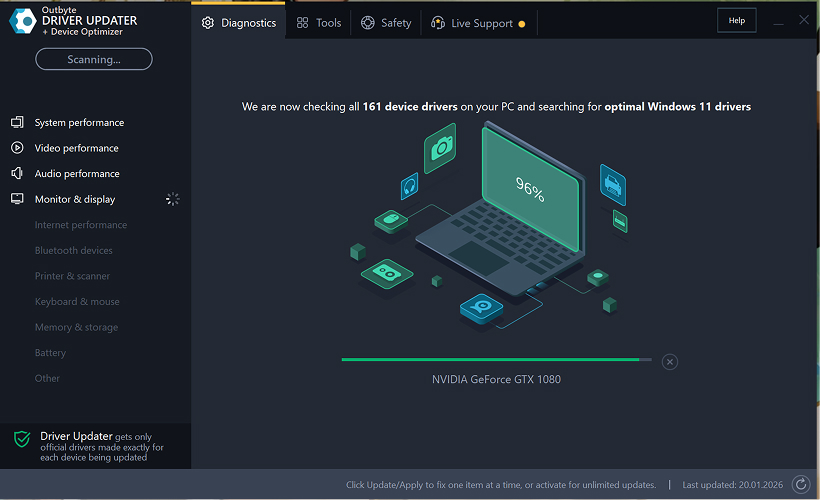
Step 2: Close the Activation Window
After the scan, an “Activate now” window may appear.
To continue for free:
- click the close (X) button in the top-right corner of the window.
No information needs to be entered
Step 3: Select the Driver Category
From the menu on the left, choose the device category you want to update, such as:
- audio drivers;
- video and graphics drivers;
- network and Wi-Fi drivers;
- Bluetooth drivers;
- printer and scanner drivers.
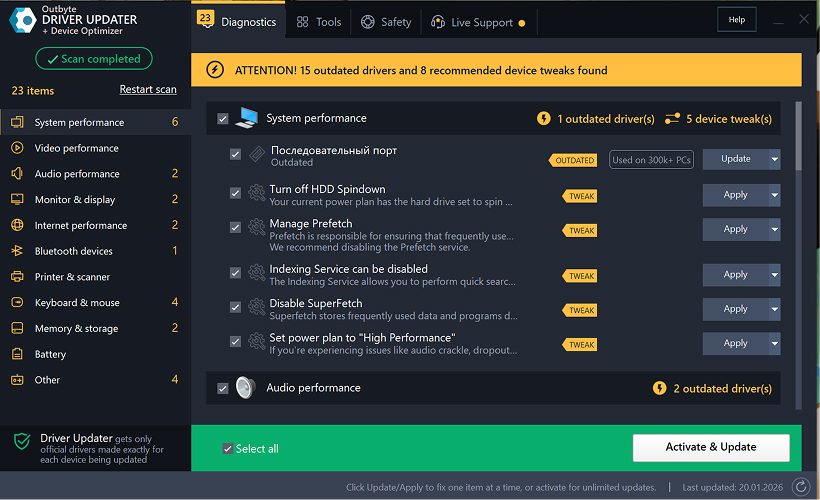
Step 4: Click “Update” Next to the Selected Driver
In the driver list, locate the driver you want to update and click the Update button next to it.
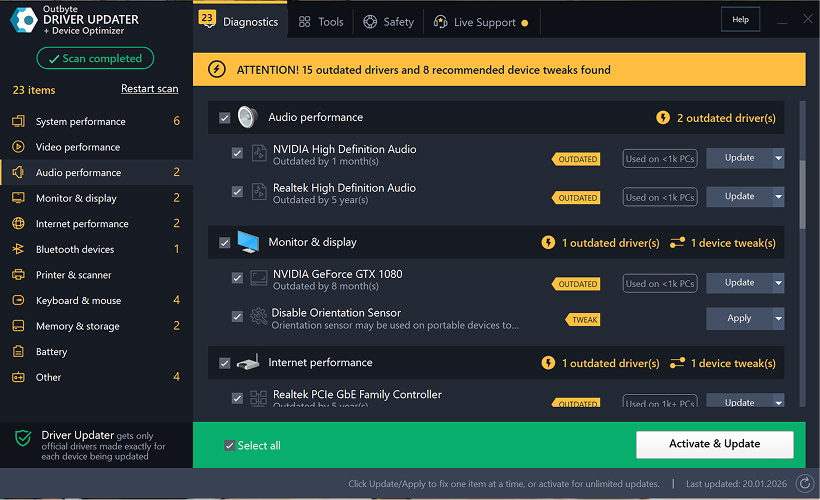
Step 5: Confirm the Driver Update
In the pop-up window, click Update driver.
At this stage, no personal data or payment details are required.
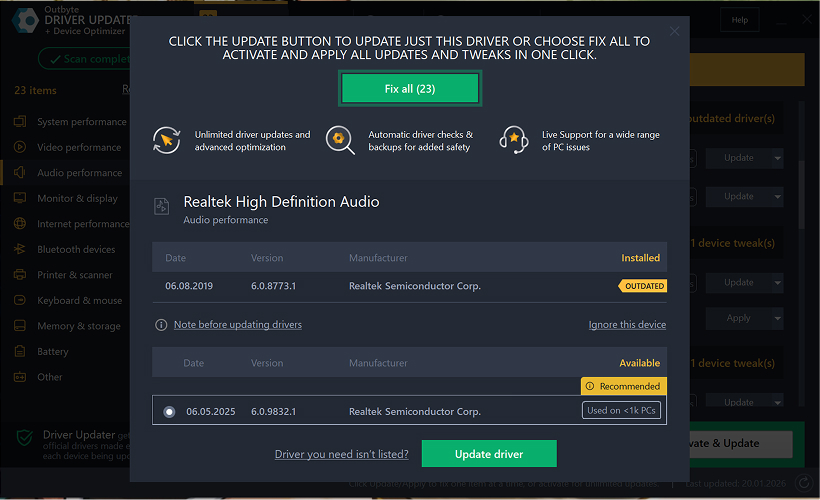
Step 6: Wait for the Update Process to Finish
The program will begin downloading and installing the selected driver.
Please wait until the process is complete.
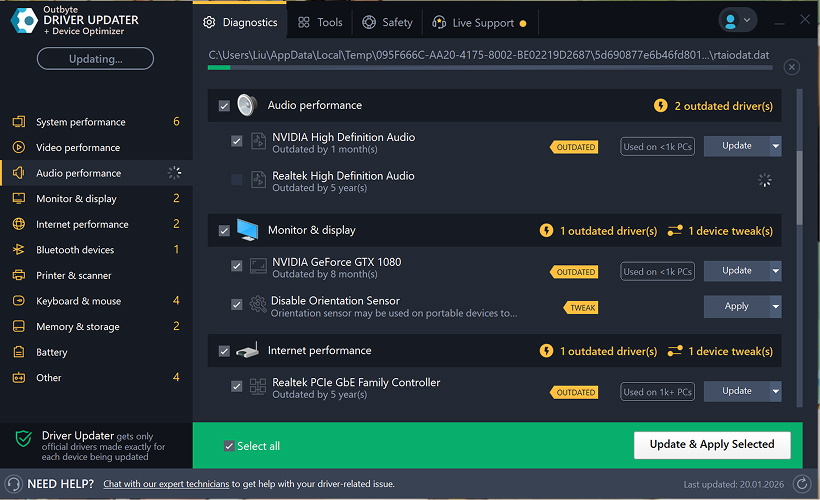
Step 7: Apply Changes and Restart Your Computer
After the installation finishes, click Apply now to apply the changes.
To ensure the updated driver works correctly, restart your computer.
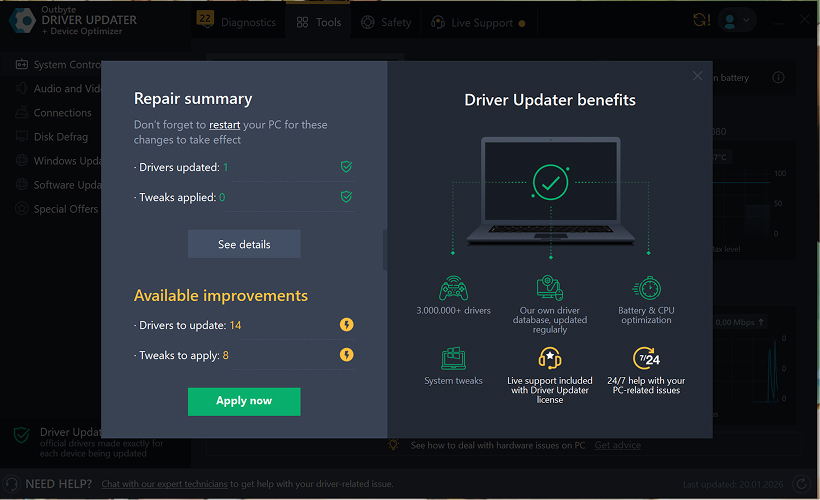
Important Notes
- Free updates are available one driver at a time.
- No registration is required for the free update.
- No credit card or payment information is requested.
- All actions are performed locally within the program after scanning your system.
- Free update availability may depend on the driver type and system configuration.
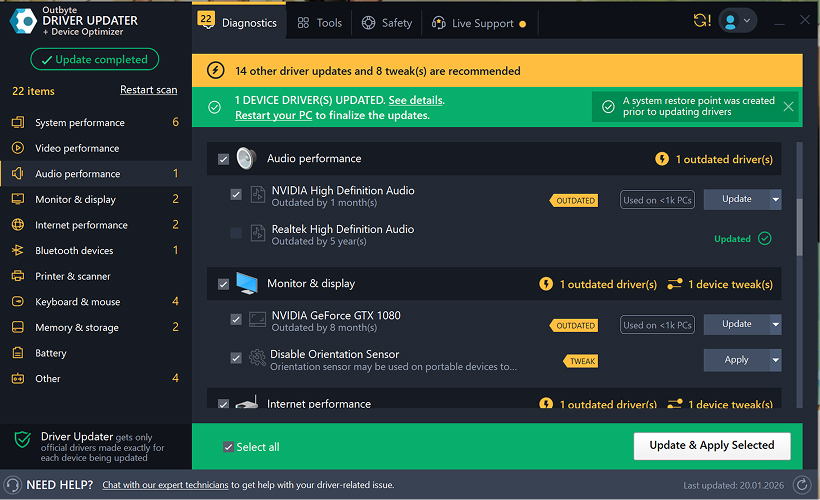
Learn to pair your wireless mouse with a different USB receiver in simple steps. Check compatibility (e.g., Logitech Unifying receivers), install required software/drivers, and use pairing modes to sync devices. Troubleshoot connection issues and optimize performance for seamless use.
Simplify your workspace with Logitech Unifying Software, enabling effortless connection of up to six compatible devices through a single receiver. Enjoy quick setup, clutter-free connectivity, and enhanced productivity as your keyboard, mouse, and other peripherals work in perfect harmony.
Learn how to set up your Epson L3250 printer with this step-by-step guide. Unbox, install ink, connect to power, and download drivers via Epson’s website or included CD. Configure Wi-Fi settings for wireless printing and run a test page to ensure proper installation. Simplify your setup process and start printing effortlessly.
Transform your smartphone into an HD webcam with DroidCam. Enjoy wireless connectivity and seamless video streaming for crystal-clear video calls, live streams, or online meetings. Works with PC/Mac.
Learn how to enable Bluetooth on your PC in a few simple steps. Check compatibility, activate Bluetooth via Windows Settings or the system tray, pair your device, and troubleshoot common issues. This guide ensures seamless wireless connections for headphones, speakers, or peripherals.
Learn how to set up your Epson L3250 printer quickly and efficiently. This guide covers unboxing, installing ink cartridges, connecting to power, and configuring Wi-Fi for seamless wireless printing. Follow step-by-step instructions to install drivers, align the printer head, and troubleshoot common issues. Perfect for home or office use, the Epson L3250 ensures hassle-free installation and high-quality printing, scanning, and copying.
Download the latest Epson L3250 printer drivers and software to ensure seamless connectivity and optimal performance. Compatible with Windows and macOS, these tools enable easy setup, wireless printing, and advanced features. Visit the official Epson support page for secure, up-to-date downloads tailored to your operating system. Simplify installation and maximize your printer’s capabilities with reliable drivers and utilities.
Discover innovative strategies to amplify your message and connect deeply with audiences – no microphone needed. Harness the power of body language, visual storytelling, and creative platforms to make your voice heard in any setting.
The Valeton GP 100 Wah is a professional-grade guitar pedal designed for musicians seeking dynamic sound control and expressive tonal shaping. Featuring a responsive wah circuit, it delivers smooth, vintage-inspired sweeps and modern versatility for rock, funk, blues, and beyond. Built with durable components and an intuitive design, the GP 100 ensures reliable performance on stage or in the studio. Adjustable parameters and a true bypass switch provide seamless integration into any pedalboard setup, while its compact size maximizes space efficiency. Elevate your playing with rich, articulate wah effects tailored to your musical style.
Virtual CloneDrive offers effortless disc image mounting and virtual drive cloning, enabling you to access ISO, BIN, IMG, and other formats without physical media. Streamline workflows, run software, or backup data with a lightweight, user-friendly tool that integrates seamlessly into your system. Simplify disc management and enhance productivity—no hardware required.